Lección 6 · 6 de 20
Texto de varias líneas · tkinter
El componente Text de tkinter: varias líneas, ajuste por palabras, tags para negrita y colores, y posiciones del tipo línea.columna.
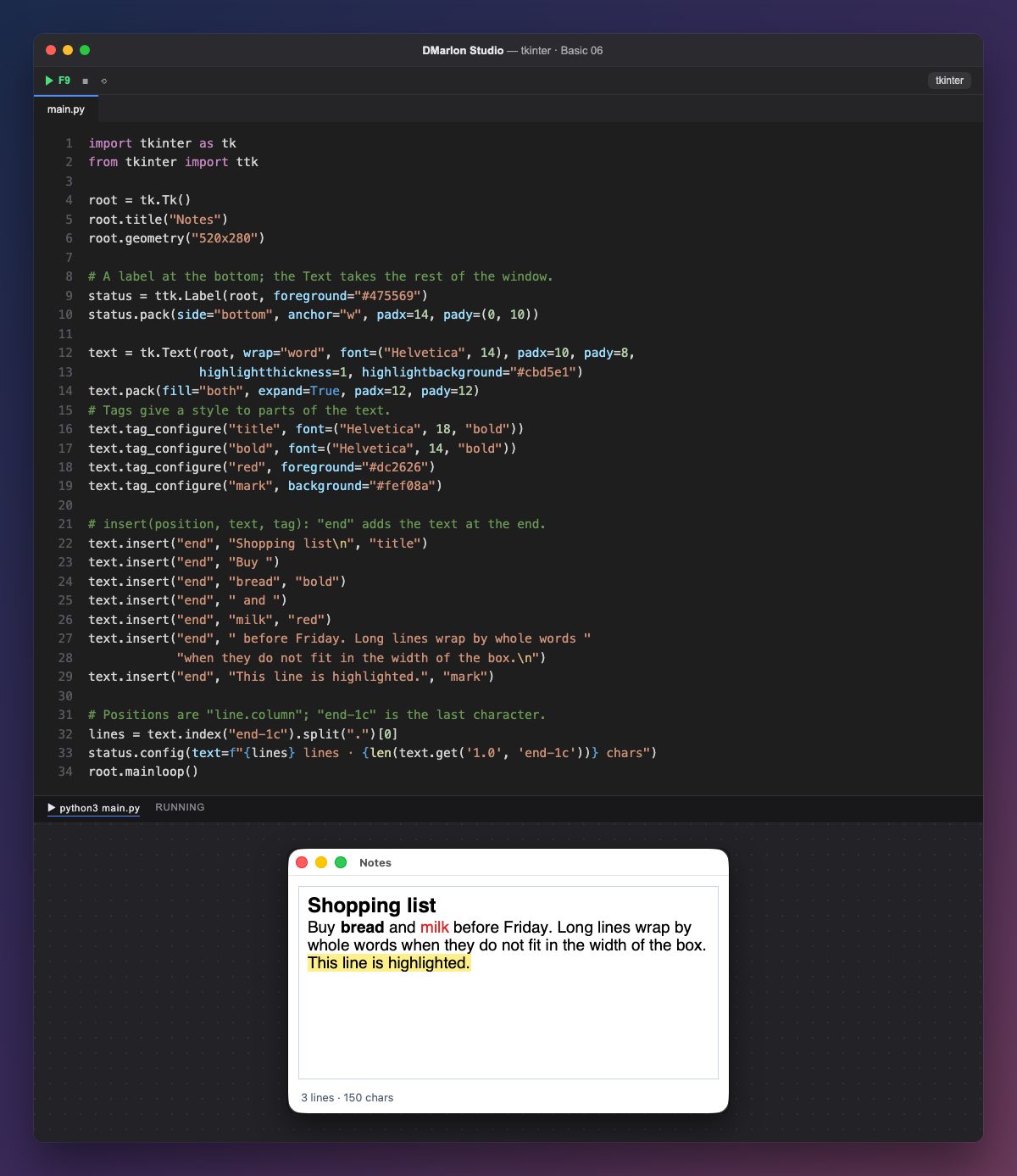
tk.Text es un cuadro de texto de varias líneas (no tiene versión ttk). wrap="word" parte las líneas largas por palabras; padx y pady dejan margen por dentro, y highlightthickness con highlightbackground le dibujan un borde fino.
La etiqueta de estado se coloca primero, con pack(side="bottom"), para reservarle su sitio abajo; después el texto ocupa el resto con fill="both", expand=True.
Las tags dan estilo a trozos del texto. tag_configure("bold", font=...) define cómo se ve la tag bold; red cambia el color con foreground, y mark el fondo con background.
`insert(posición, texto, tag)` añade texto: "end" es el final, y el tercer argumento aplica la tag a ese trozo. Así «bread» sale en negrita y «milk» en rojo. Los saltos de línea se escriben \n.
Las posiciones tienen la forma "línea.columna": "1.0" es el primer carácter y "end-1c" el último (el final menos un carácter, porque Text siempre añade un salto de línea). text.get("1.0", "end-1c") devuelve todo el texto. En DMarlon Studio es el Texto largo de la paleta: su texto inicial y el ajuste de línea se ponen en el inspector.
Código · main.py
import tkinter as tkfrom tkinter import ttkroot = tk.Tk()root.title("Notes")root.geometry("520x280")# A label at the bottom; the Text takes the rest of the window.status = ttk.Label(root, foreground="#475569")status.pack(side="bottom", anchor="w", padx=14, pady=(0, 10))text = tk.Text(root, wrap="word", font=("Helvetica", 14), padx=10, pady=8, highlightthickness=1, highlightbackground="#cbd5e1")text.pack(fill="both", expand=True, padx=12, pady=12)# Tags give a style to parts of the text.text.tag_configure("title", font=("Helvetica", 18, "bold"))text.tag_configure("bold", font=("Helvetica", 14, "bold"))text.tag_configure("red", foreground="#dc2626")text.tag_configure("mark", background="#fef08a")# insert(position, text, tag): "end" adds the text at the end.text.insert("end", "Shopping list\n", "title")text.insert("end", "Buy ")text.insert("end", "bread", "bold")text.insert("end", " and ")text.insert("end", "milk", "red")text.insert("end", " before Friday. Long lines wrap by whole words " "when they do not fit in the width of the box.\n")text.insert("end", "This line is highlighted.", "mark")# Positions are "line.column"; "end-1c" is the last character.lines = text.index("end-1c").split(".")[0]status.config(text=f"{lines} lines · {len(text.get('1.0', 'end-1c'))} chars")root.mainloop()Para recordar
tk.Textedita varias líneas;wrapdecide cómo se parten.- Las tags dan fuente y colores a una parte del texto.
insert("end", texto, tag)añade texto con estilo.- Las posiciones son
"línea.columna"; las líneas empiezan en 1 y las columnas en 0.
Ejercicio
Cree una tag italic con la fuente en cursiva ("italic") y añada al final una línea en cursiva y en verde.