


macOS
macOS 10.15 or later · Apple Silicon and Intel
- Unzip the file and move “DMarlon Studio” to Applications.
- The first time, right-click the app → Open: the app is not signed yet.
- Confirm “Open” in the unidentified developer warning.
Multi-target visual IDE
DMarlon Studio is a desktop IDE: drag components onto a form, set their properties in the object inspector, write each event's code in Python and run it with F9. Today it builds desktop apps with tkinter and web apps with Flask; Electron is the next target.
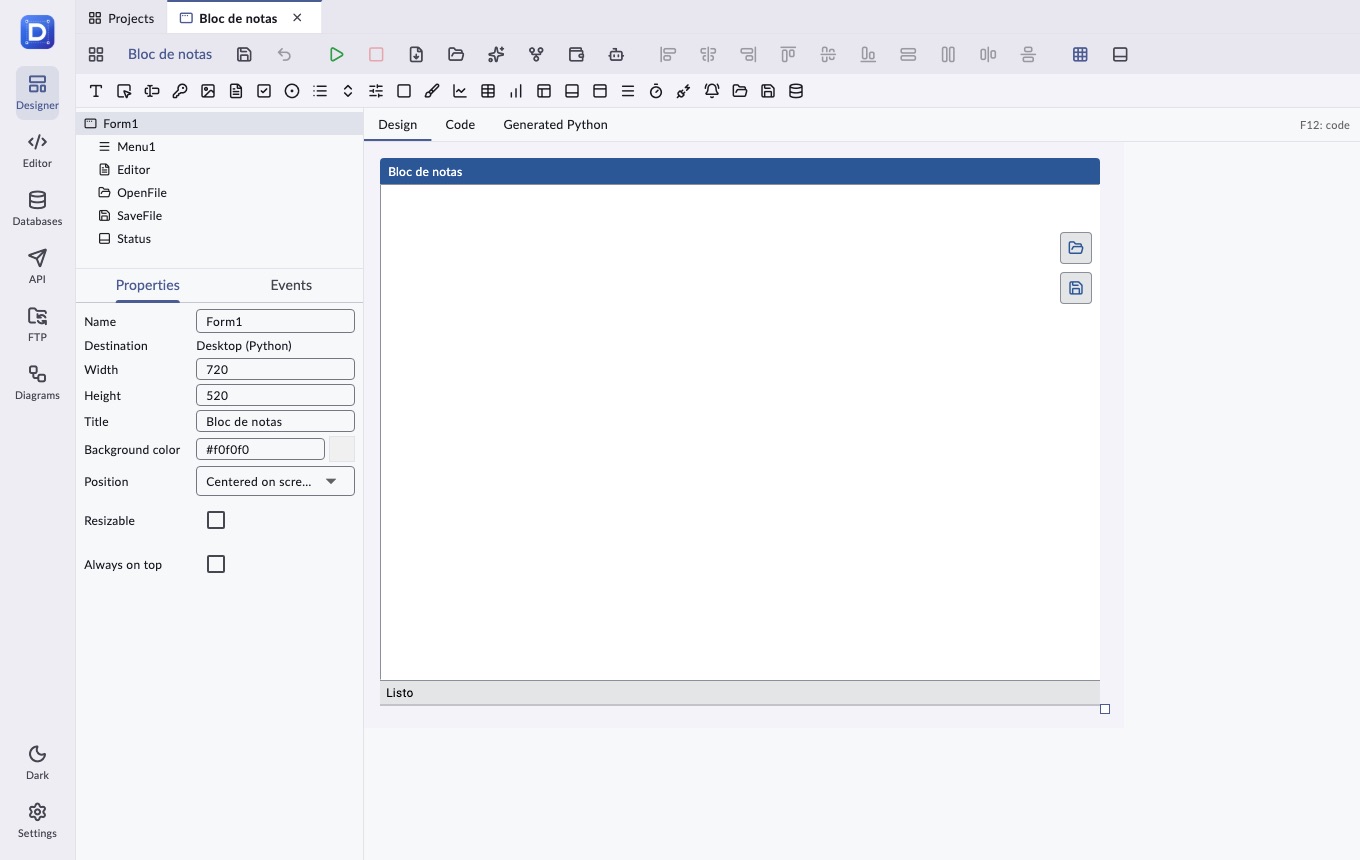
Notepad · 1/14
Classic menu, open, save and a status bar with line and column.
Visual designer
The designer generates a readable Python file from the design and your code. You only write the event handlers; the studio maintains the rest.
Labels, buttons, entries, checkboxes, lists, combo boxes, tables, frames, data connections and more: drag them onto the form or add them with a double click.
Properties and events of the selected component or of the window, with colors, fonts, references between components and name validation.
Double-clicking a component creates its method (Button1_click) and opens it in the code. Renaming a component renames its methods.
Snap to grid, align left, center or right, match width and height, bring to front and nudge with the arrow keys.
Every change can be undone; components are copied between windows along with their children.
F9 launches the window with your local Python and shows its output; F12 switches between design and code. You can also export the .py file.
Code editor
For the rest of your project, and for any folder on your computer.
File tree with create, rename and delete; tabs with syntax highlighting for dozens of languages and line numbers.
In the open file and across every file in the folder.
A terminal built into the working folder, without leaving the studio.
Changes, commit, push and pull; clone repositories from your GitHub account.
Tools
Connections are stored in the studio, not in the code it generates: passwords reach your app through the environment when it runs.
A manager for SQLite, PostgreSQL, MySQL / MariaDB and MongoDB: schema, queries and results.
Postman-style HTTP requests, with collections, history and {{like_this}} environment variables.
Browse, upload and download files on your FTP servers.
Flowcharts and entity-relationship diagrams, with PDF export.
Artificial intelligence
The AI proposes; you see the proposal and decide whether to apply it. It works with your own key.
Describe the window (or attach an image) and the AI returns the design and the code, validated against the component catalog.
Select a component and say what its event should do: only that method changes.
OpenAI, Anthropic and OpenAI-compatible APIs. Your key stays on your computer.
Roadmap
Python desktop windows, each in its own system window.
The same designer builds web apps that run on a local server.
Desktop apps built with web technologies from the same design.
The design turned into a modern web app with React and Next.js.
Small, fast native executables with the FLTK library.
Native desktop apps with Free Pascal and Lazarus's LCL.
One codebase for desktop and mobile with Flutter's UI.
Mobile apps for iOS and Android from the same design.
Downloads
Free for macOS and Windows. Built automatically from the repository with every release.
macOS 10.15 or later · Apple Silicon and Intel
Windows 10 or 11, 64-bit
Coming soon
To run what you design you need Python 3 with tkinter for desktop windows and Flask for web apps (pip install flask). The studio detects the installed Python and tells you what is missing. Previous versions and notes on GitHub Releases.