Python · tkinter
Disk space
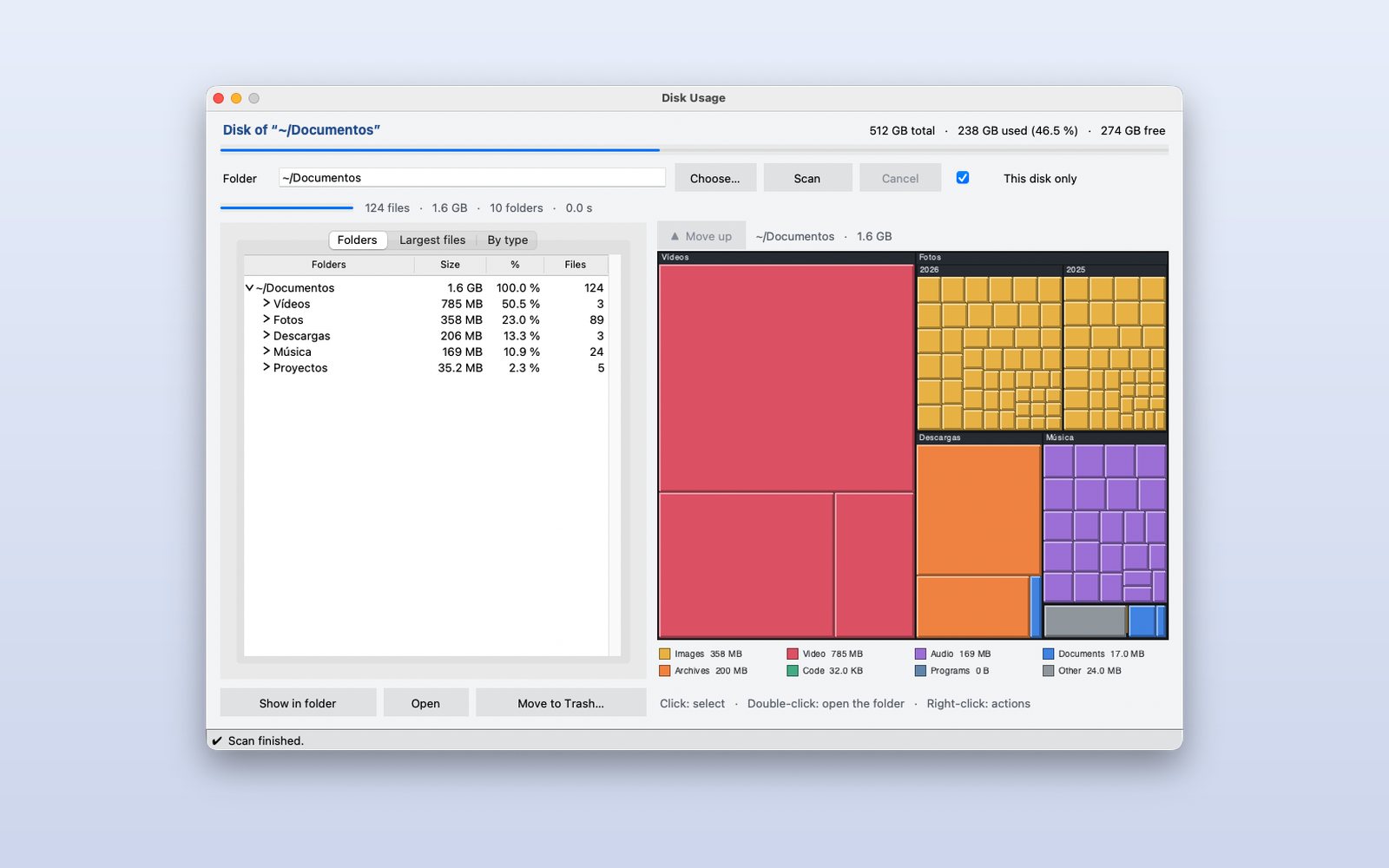
A disk analyzer with a WinDirStat-style map: each rectangle is a file, as big as the space it takes and coloured by type. To find in seconds what fills your disk.
What it shows
- A custom chart drawn on a canvas
- Background work without freezing the window
- Opening Finder or Explorer and using the Trash
How it works
- 1
Scan a folder
The scan runs in the background (the window never freezes) and ends with the folder tree on the left and the map on the right, with a legend by type.
 2
Pick in the tree or the map
What you select on one side is highlighted on the other. Double-click a folder on the map to zoom in; “Move up” goes back.
 3
The largest, at hand
The “Largest files” tab lists the hundred biggest. From there you can show them in Finder or Explorer or move them to the Trash, always asking first.
This demo comes as an example in DMarlon Studio: open it in the Designer to see its design and code, change it and press Run.