Lesson 19 · 19 of 20
Writing and reading text files · C++
Save data to a text file with std::ofstream and read it back with std::ifstream in C++, in the program's current folder.
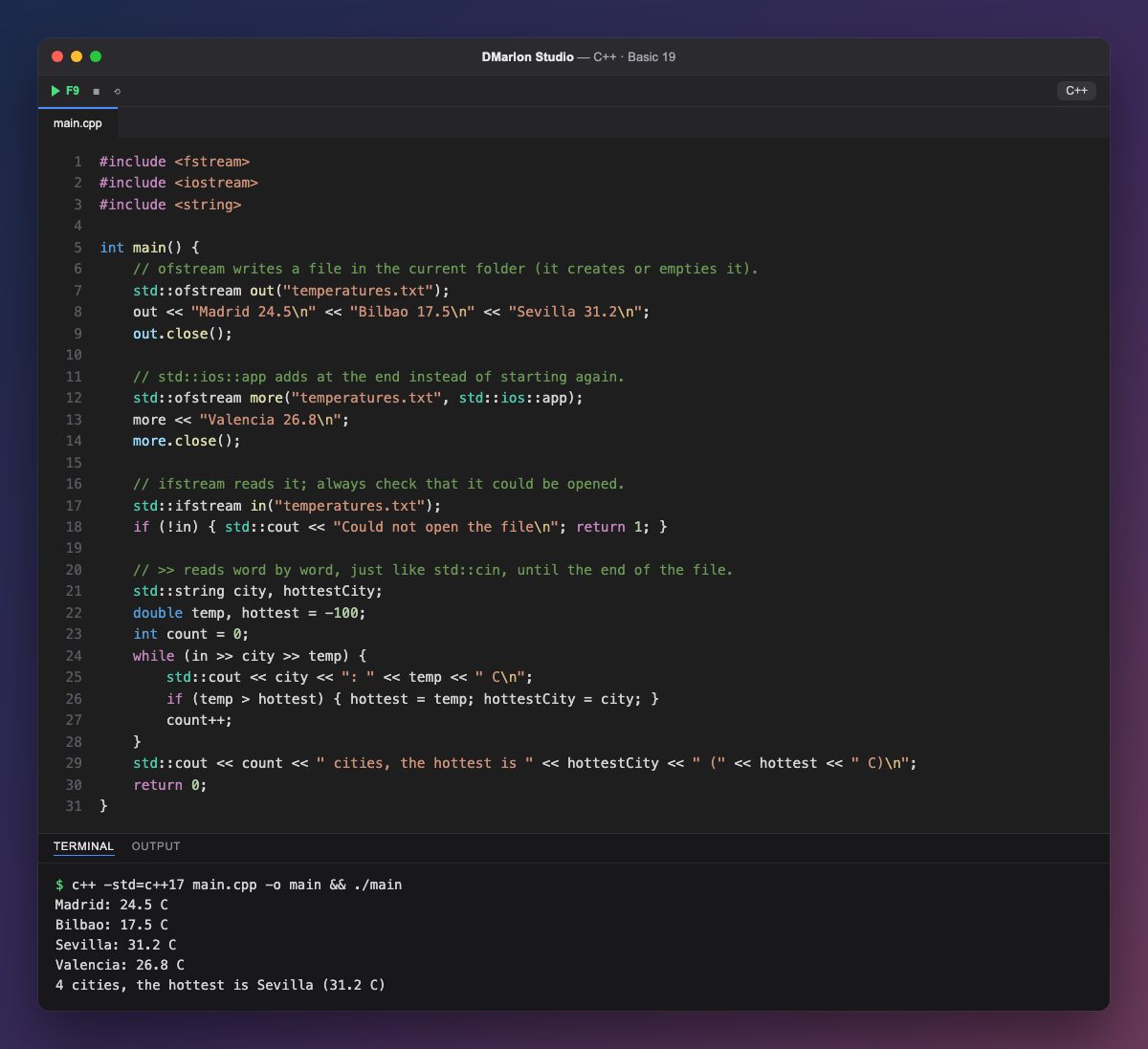
`<fstream>` brings the file streams, which work like std::cout and std::cin. `std::ofstream out("temperatures.txt")` opens the file for writing in the current folder: it creates it if it is missing and empties it if it already exists. Then you write with <<, exactly as on the console.
`close()` closes the file and saves what was written; if you forget, it closes by itself when the variable goes away at the end of the block. With `std::ios::app` as a second argument, the file is opened to append at the end, and Valencia joins the other three cities.
`std::ifstream in("temperatures.txt")` opens it for reading. It is wise to check that it opened: !in is true if it failed (the file does not exist or there is no permission), and then the program says so and ends with return 1.
`in >> city >> temp` reads a word and a number, just like std::cin. It also returns the stream itself, which counts as false once nothing more can be read, so while (in >> city >> temp) goes through the file to the end. Along the way the cities are counted and the hottest one is found.
To read whole lines, spaces included, use std::getline(in, line) in a while, as with the keyboard in lesson 5. When you run the example in DMarlon Studio, temperatures.txt appears next to the program.
Code · main.cpp
#include <fstream>#include <iostream>#include <string>int main() { // ofstream writes a file in the current folder (it creates or empties it). std::ofstream out("temperatures.txt"); out << "Madrid 24.5\n" << "Bilbao 17.5\n" << "Sevilla 31.2\n"; out.close(); // std::ios::app adds at the end instead of starting again. std::ofstream more("temperatures.txt", std::ios::app); more << "Valencia 26.8\n"; more.close(); // ifstream reads it; always check that it could be opened. std::ifstream in("temperatures.txt"); if (!in) { std::cout << "Could not open the file\n"; return 1; } // >> reads word by word, just like std::cin, until the end of the file. std::string city, hottestCity; double temp, hottest = -100; int count = 0; while (in >> city >> temp) { std::cout << city << ": " << temp << " C\n"; if (temp > hottest) { hottest = temp; hottestCity = city; } count++; } std::cout << count << " cities, the hottest is " << hottestCity << " (" << hottest << " C)\n"; return 0;}Output · c++ -std=c++17 main.cpp -o main && ./main
Madrid: 24.5 C
Bilbao: 17.5 C
Sevilla: 31.2 C
Valencia: 26.8 C
4 cities, the hottest is Sevilla (31.2 C)
Key points
std::ofstream f("name")creates or empties the file for writing.std::ios::appappends without erasing what is there.std::ifstream f("name")opens for reading; checkif (!f).- Write with
<<, read with>>orstd::getline. while (f >> x)reads until the end of the file.
Exercise
After the loop, open the file again with a new std::ifstream and use while (std::getline(again, line)) to print each line with a number: 1: Madrid 24.5, 2: Bilbao 17.5...