Lesson 18 · 18 of 20
JSON with fromJson and toJson · Dart
Read and write JSON in Dart with jsonDecode and jsonEncode, and turn it into typed objects with fromJson and toJson, just as Flutter apps do.
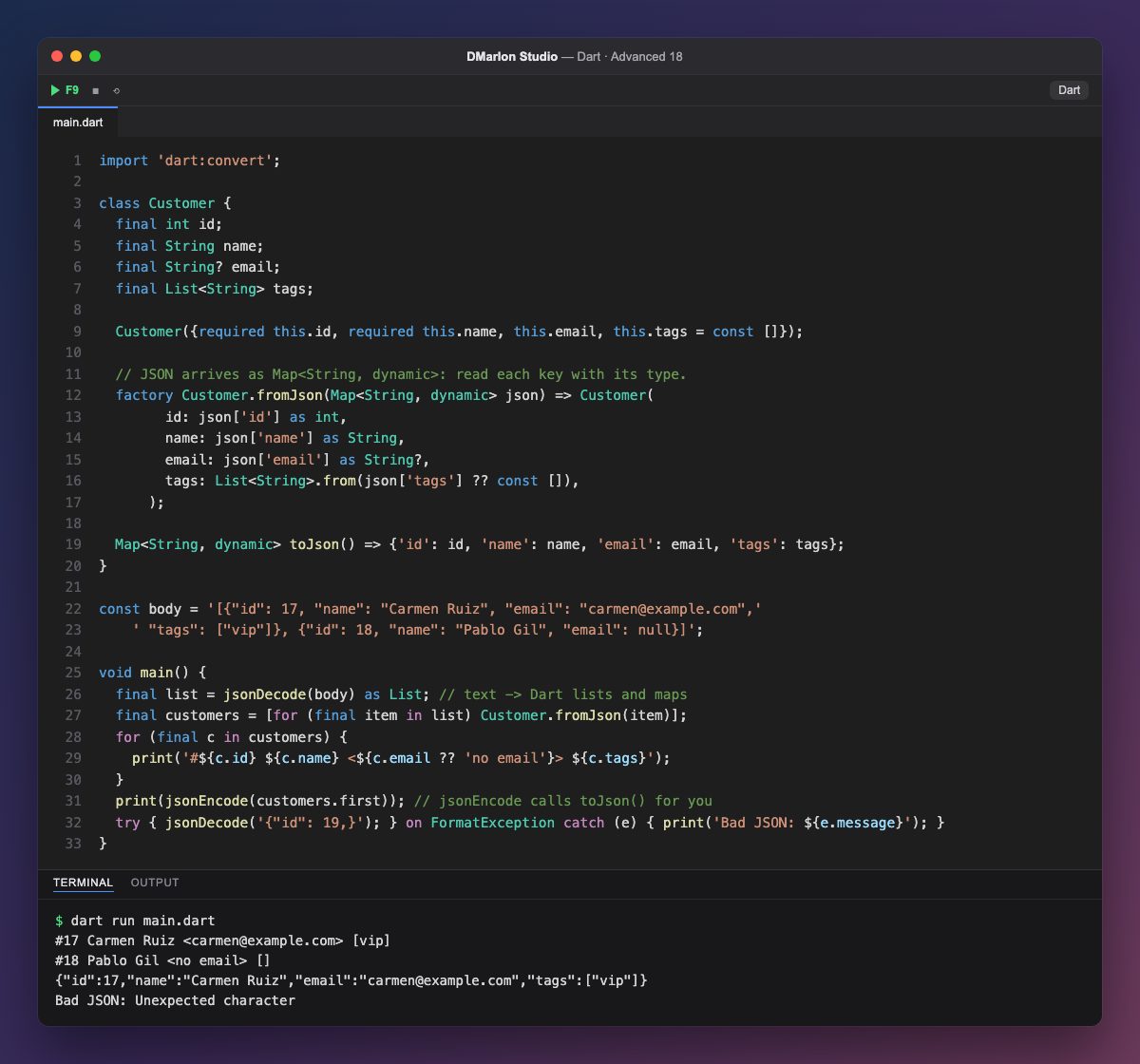
`dart:convert` has everything needed to work with JSON. `jsonDecode` turns the text into Dart structures: JSON objects become Map<String, dynamic>, arrays become List, and numbers, strings, booleans and null map to their own types. body is what an API might send back: a list of two customers (two adjacent string literals in the code are joined into one).
Passing maps around the whole app is fragile, so they are turned into typed objects. The `Customer.fromJson` factory reads each key and casts it to its type with as: as String? accepts Pablo's null, and List<String>.from(json['tags'] ?? const []) turns the dynamic list into a list of strings, or uses an empty one when the key is missing. If the JSON carries an unexpected type, it fails here, in one place, not halfway through the UI.
`toJson` goes the other way: it returns a map of basic types. You do not even have to call it: `jsonEncode` calls toJson() by itself on any object it does not know how to convert, which is why jsonEncode(customers.first) just works.
If the text is not valid JSON (here, a trailing comma), jsonDecode throws a FormatException. This fromJson/toJson pair is the convention every Flutter app's models follow; packages such as json_serializable simply write this same code for you.
Code · main.dart
import 'dart:convert';class Customer { final int id; final String name; final String? email; final List<String> tags; Customer({required this.id, required this.name, this.email, this.tags = const []}); // JSON arrives as Map<String, dynamic>: read each key with its type. factory Customer.fromJson(Map<String, dynamic> json) => Customer( id: json['id'] as int, name: json['name'] as String, email: json['email'] as String?, tags: List<String>.from(json['tags'] ?? const []), ); Map<String, dynamic> toJson() => {'id': id, 'name': name, 'email': email, 'tags': tags};}const body = '[{"id": 17, "name": "Carmen Ruiz", "email": "carmen@example.com",' ' "tags": ["vip"]}, {"id": 18, "name": "Pablo Gil", "email": null}]';void main() { final list = jsonDecode(body) as List; // text -> Dart lists and maps final customers = [for (final item in list) Customer.fromJson(item)]; for (final c in customers) { print('#${c.id} ${c.name} <${c.email ?? 'no email'}> ${c.tags}'); } print(jsonEncode(customers.first)); // jsonEncode calls toJson() for you try { jsonDecode('{"id": 19,}'); } on FormatException catch (e) { print('Bad JSON: ${e.message}'); }}Output · dart run main.dart
#17 Carmen Ruiz <carmen@example.com> [vip]
#18 Pablo Gil <no email> []
{"id":17,"name":"Carmen Ruiz","email":"carmen@example.com","tags":["vip"]}
Bad JSON: Unexpected character
Key points
jsonDecodeturns JSON text into Dart maps and lists.fromJsonturns the map into a typed object.toJsonreturns a map, andjsonEncodeuses it automatically.- Use
as Type?for fields that may benull. - Malformed JSON throws a
FormatException.
Exercise
Add a bool active field to Customer, called is_active in the JSON and defaulting to true when missing, and include it in each output line and in toJson.