Lesson 14 · 14 of 20
Named and optional parameters · Dart
Make flexible Dart functions with optional parameters in [ ], named parameters in { }, default values and required.
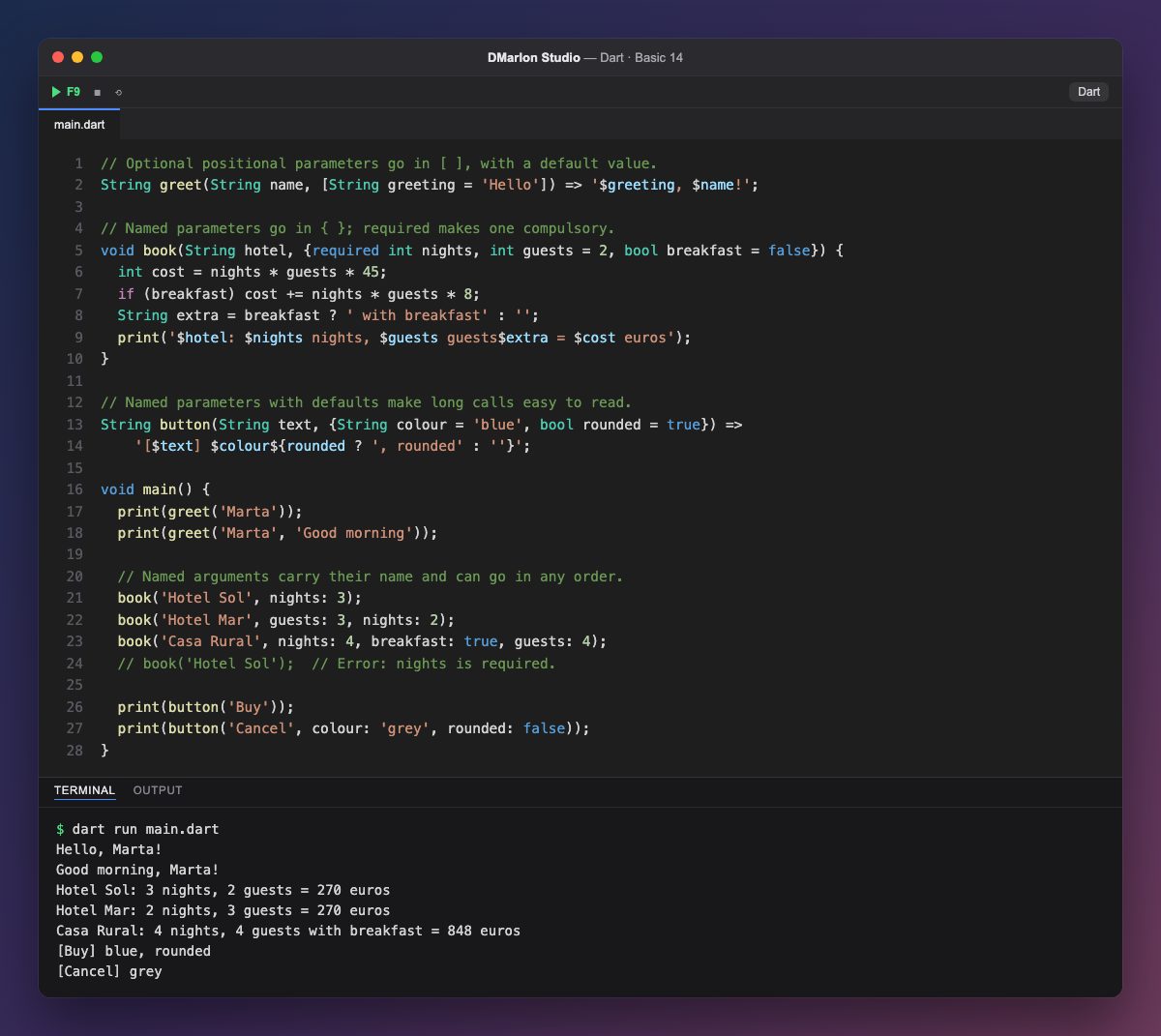
A parameter in square brackets is optional and positional: in greet(String name, [String greeting = 'Hello']), the greeting can be left out and then it is 'Hello'. greet('Marta') gives Hello, Marta! and greet('Marta', 'Good morning') changes the greeting.
Parameters in braces are named parameters: when calling the function you write the name before the value, as in nights: 3. That makes it obvious what each number means, and they can go in any order: book('Hotel Mar', guests: 3, nights: 2).
Named parameters are optional unless they are marked `required`: nights is compulsory and, if it is missing, as in the commented-out line, Dart will not compile. The others have a default value: without guests it counts 2 people, and without breakfast, no breakfast.
The button function shows what they are really for: long calls read by themselves. This is how Flutter code is written: Text('Hi', style: ..., textAlign: ...) or Padding(padding: ..., child: ...) are calls with named parameters, and it is what DMarlon Studio generates for the widgets you place on the phone canvas.
Code · main.dart
// Optional positional parameters go in [ ], with a default value.String greet(String name, [String greeting = 'Hello']) => '$greeting, $name!';// Named parameters go in { }; required makes one compulsory.void book(String hotel, {required int nights, int guests = 2, bool breakfast = false}) { int cost = nights * guests * 45; if (breakfast) cost += nights * guests * 8; String extra = breakfast ? ' with breakfast' : ''; print('$hotel: $nights nights, $guests guests$extra = $cost euros');}// Named parameters with defaults make long calls easy to read.String button(String text, {String colour = 'blue', bool rounded = true}) => '[$text] $colour${rounded ? ', rounded' : ''}';void main() { print(greet('Marta')); print(greet('Marta', 'Good morning')); // Named arguments carry their name and can go in any order. book('Hotel Sol', nights: 3); book('Hotel Mar', guests: 3, nights: 2); book('Casa Rural', nights: 4, breakfast: true, guests: 4); // book('Hotel Sol'); // Error: nights is required. print(button('Buy')); print(button('Cancel', colour: 'grey', rounded: false));}Output · dart run main.dart
Hello, Marta!
Good morning, Marta!
Hotel Sol: 3 nights, 2 guests = 270 euros
Hotel Mar: 2 nights, 3 guests = 270 euros
Casa Rural: 4 nights, 4 guests with breakfast = 848 euros
[Buy] blue, rounded
[Cancel] grey
Key points
[type name = value]is optional and goes by position.{type name = value}goes by name:name: value.- Named arguments can go in any order.
requiredmakes a named parameter compulsory.- Flutter uses named parameters in all its widgets.
Exercise
Write a pizza function with a required named size parameter plus cheese (default true) and toppings (default 0), which prints the order and its price; call it in three different ways.