Lesson 16 · 16 of 20
String methods · Dart
Handle text in Dart with trim, toUpperCase, contains, indexOf, replaceAll, substring, split, join, padLeft and padRight.
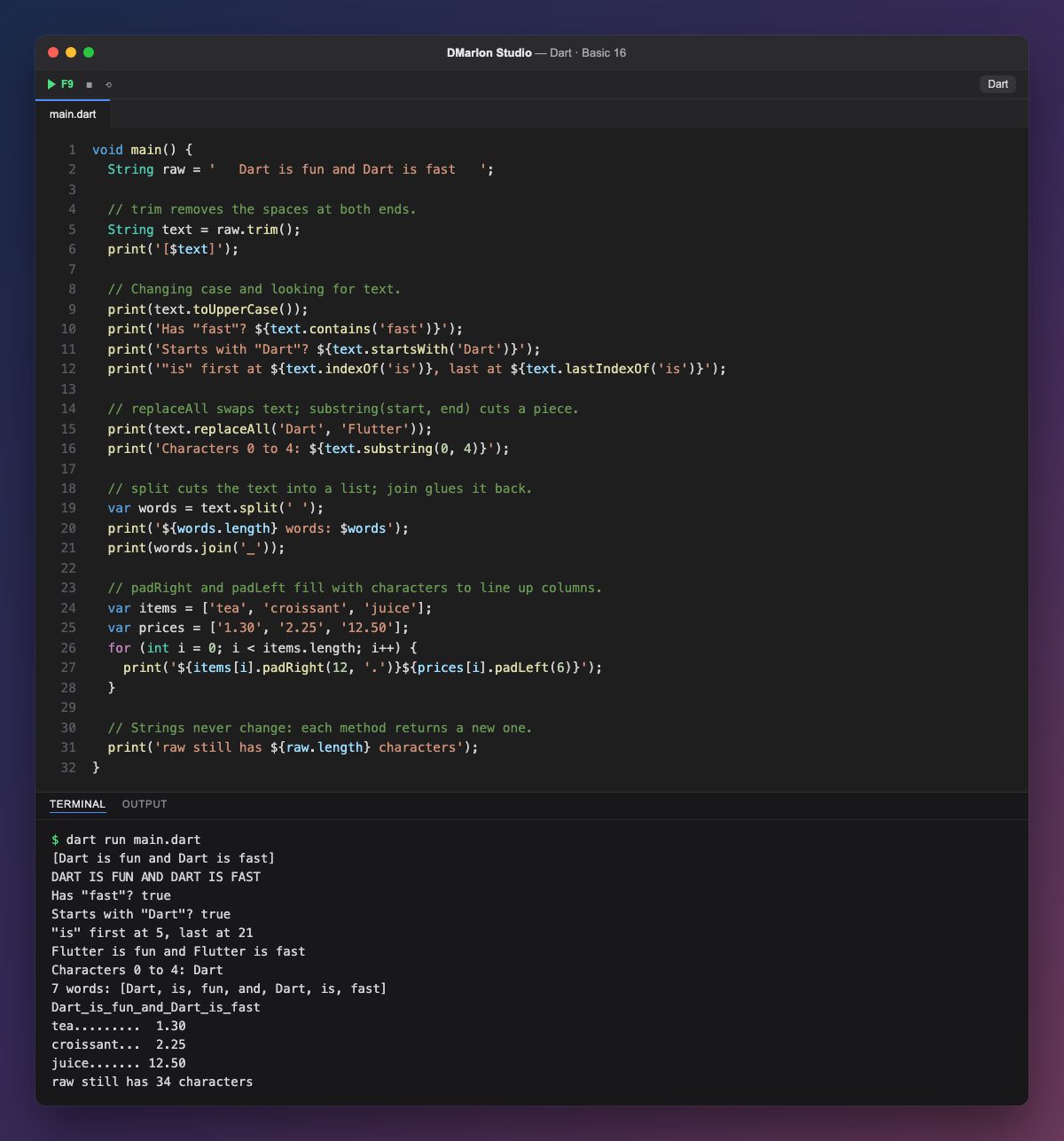
`trim()` removes the spaces at the start and the end; the brackets in '[$text]' show that none are left. `toUpperCase()` turns the text into capitals and toLowerCase() into small letters.
To search, `contains()` says whether the text appears, `startsWith()` whether the string begins with it (and endsWith(), whether it ends with it), and `indexOf()` gives the position of the first match; `lastIndexOf()`, the last. As with lists, counting starts at 0.
`replaceAll('Dart', 'Flutter')` swaps every occurrence of one text for another. `substring(0, 4)` cuts out a piece: from position 0 up to, but not including, 4, which is the word Dart.
`split(' ')` breaks the string at the spaces and gives a list of words; `join('_')` does the opposite and glues a list together with the separator you give it. `padRight(12, '.')` fills with dots on the right up to 12 characters and `padLeft(6)` with spaces on the left, so products and prices line up in columns.
Dart strings never change: every method returns a new string. That is why raw still has its 34 characters, spaces and all, even after trim().
Code · main.dart
void main() { String raw = ' Dart is fun and Dart is fast '; // trim removes the spaces at both ends. String text = raw.trim(); print('[$text]'); // Changing case and looking for text. print(text.toUpperCase()); print('Has "fast"? ${text.contains('fast')}'); print('Starts with "Dart"? ${text.startsWith('Dart')}'); print('"is" first at ${text.indexOf('is')}, last at ${text.lastIndexOf('is')}'); // replaceAll swaps text; substring(start, end) cuts a piece. print(text.replaceAll('Dart', 'Flutter')); print('Characters 0 to 4: ${text.substring(0, 4)}'); // split cuts the text into a list; join glues it back. var words = text.split(' '); print('${words.length} words: $words'); print(words.join('_')); // padRight and padLeft fill with characters to line up columns. var items = ['tea', 'croissant', 'juice']; var prices = ['1.30', '2.25', '12.50']; for (int i = 0; i < items.length; i++) { print('${items[i].padRight(12, '.')}${prices[i].padLeft(6)}'); } // Strings never change: each method returns a new one. print('raw still has ${raw.length} characters');}Output · dart run main.dart
[Dart is fun and Dart is fast]
DART IS FUN AND DART IS FAST
Has "fast"? true
Starts with "Dart"? true
"is" first at 5, last at 21
Flutter is fun and Flutter is fast
Characters 0 to 4: Dart
7 words: [Dart, is, fun, and, Dart, is, fast]
Dart_is_fun_and_Dart_is_fast
tea.........  1.30
croissant...  2.25
juice....... 12.50
raw still has 34 characters
Key points
trim()removes spaces at both ends.contains,startsWithandindexOfsearch for text.substring(start, end)leaves out the end.splitgives a list;joinglues it back.- Methods return a new string; the original stays the same.
Exercise
Start from ' ana GARCIA, madrid ', trim it, split it at the comma and print Name: Ana Garcia and City: MADRID, with each word of the name starting with a capital.