Lesson 6 · 6 of 20
if, then and else · Pascal
Make decisions in Pascal with if, then and else: weather warnings and exam grades, with begin…end blocks and else if chains.
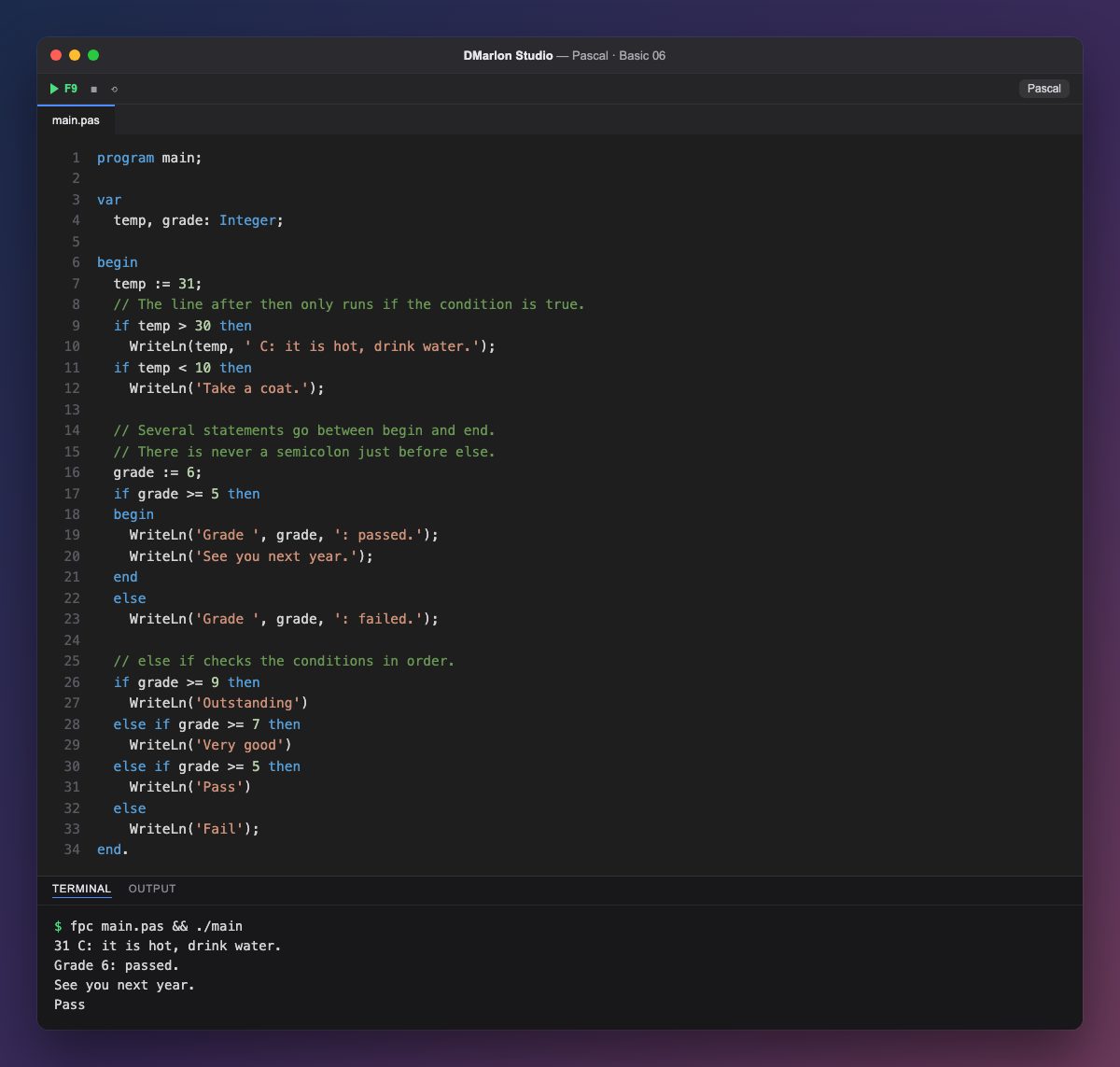
`if` condition `then` statement runs the statement only when the condition is true. With temp at 31, temp > 30 holds and the heat warning appears; temp < 10 does not, so the coat line is skipped.
After then (and after else) comes a single statement. If you need several, group them between `begin` and `end`, like the two lines for a pass.
`else` says what to do when the condition is false. One Pascal rule trips everyone up at first: there is never a semicolon right before `else`, because the ; would close the if and leave the else hanging. That is why the code has end, not end;, just before it.
To choose between several options, chain `else if`: the conditions are checked in order and only the first one that holds runs. With a 6, grade >= 9 and grade >= 7 fail, grade >= 5 succeeds and Pass is printed.
Code · main.pas
program main;var temp, grade: Integer;begin temp := 31; // The line after then only runs if the condition is true. if temp > 30 then WriteLn(temp, ' C: it is hot, drink water.'); if temp < 10 then WriteLn('Take a coat.'); // Several statements go between begin and end. // There is never a semicolon just before else. grade := 6; if grade >= 5 then begin WriteLn('Grade ', grade, ': passed.'); WriteLn('See you next year.'); end else WriteLn('Grade ', grade, ': failed.'); // else if checks the conditions in order. if grade >= 9 then WriteLn('Outstanding') else if grade >= 7 then WriteLn('Very good') else if grade >= 5 then WriteLn('Pass') else WriteLn('Fail');end.Output · fpc main.pas && ./main
31 C: it is hot, drink water.
Grade 6: passed.
See you next year.
Pass
Key points
if ... thenruns a statement when the condition holds.- Several statements go between
beginandend. - Never put a semicolon right before
else. else ifchecks several conditions in order.
Exercise
Merge the two temperature warnings into a single if ... else if ... else that prints «Hot» above 30 degrees, «Cold» below 10 and «Mild» otherwise, and try it with temp set to 5, 18 and 31.