Lesson 18 · 18 of 20
Errors: try, catch and throw · JavaScript
Handle errors in JavaScript: catch failures with try/catch, use finally, and throw your own errors with throw, Error and RangeError.
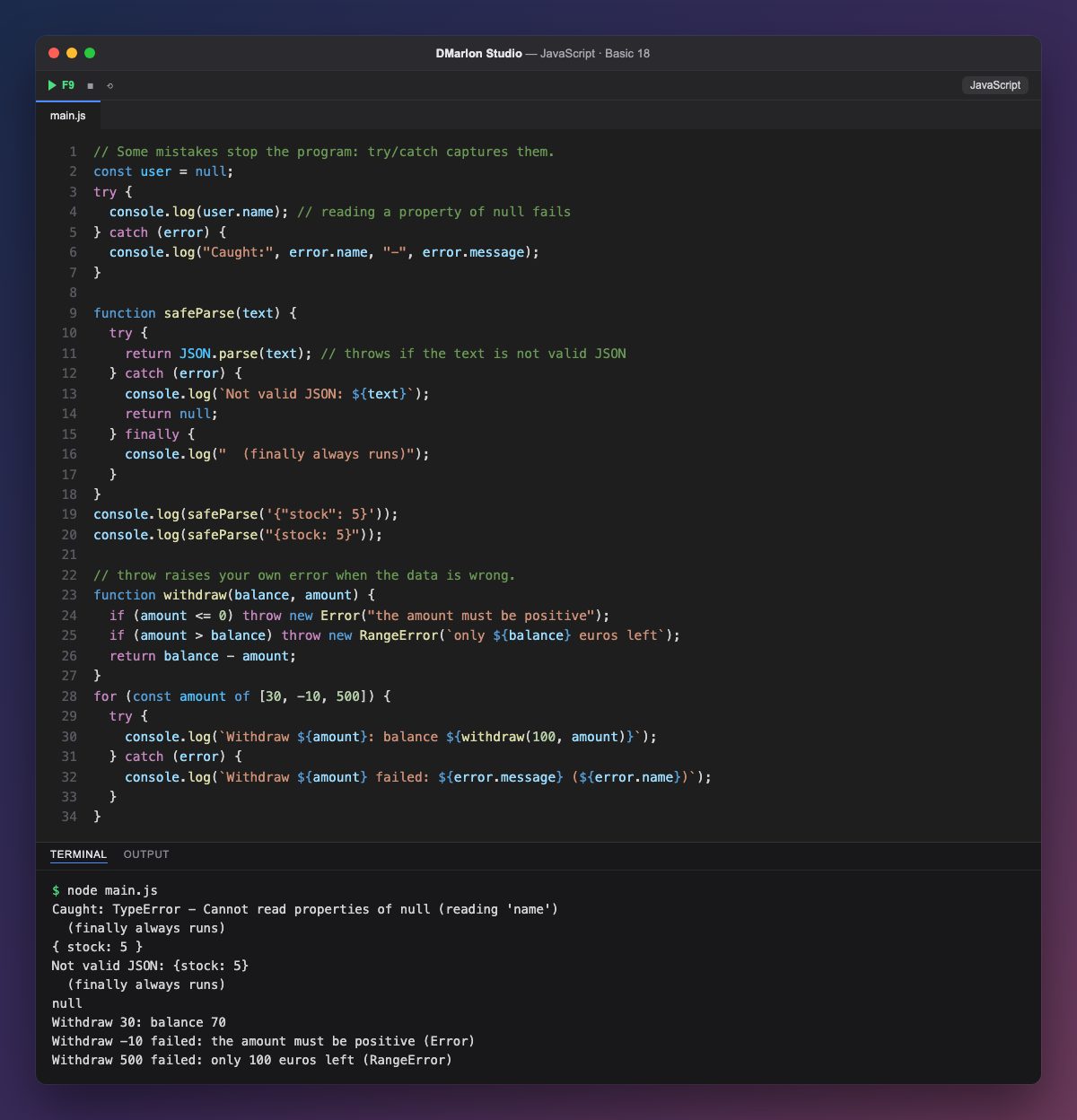
Some mistakes stop the program, such as reading a property of null. If the code that might fail goes inside `try`, the error does not stop it: it jumps to the `catch` block, which receives an object with the type (error.name, here TypeError) and the explanation (error.message).
JSON.parse throws an error when the text is not valid JSON, like {stock: 5}, whose key has no quotes. safeParse catches it and returns null instead of crashing. The `finally` block always runs, error or not, and is for jobs that must never be skipped, such as closing a file.
With `throw` the program raises its own errors when the data makes no sense. withdraw throws an Error if the amount is not positive and a `RangeError` if it is more than the balance; new Error("message") creates the error with its explanation.
The loop tries three withdrawals, each with its own try/catch: the first works and the other two show their message without stopping the rest. This keeps the code that spots the problem (throw) apart from the code that decides what to do about it (catch).
Code · main.js
// Some mistakes stop the program: try/catch captures them.const user = null;try { console.log(user.name); // reading a property of null fails} catch (error) { console.log("Caught:", error.name, "-", error.message);}function safeParse(text) { try { return JSON.parse(text); // throws if the text is not valid JSON } catch (error) { console.log(`Not valid JSON: ${text}`); return null; } finally { console.log(" (finally always runs)"); }}console.log(safeParse('{"stock": 5}'));console.log(safeParse("{stock: 5}"));// throw raises your own error when the data is wrong.function withdraw(balance, amount) { if (amount <= 0) throw new Error("the amount must be positive"); if (amount > balance) throw new RangeError(`only ${balance} euros left`); return balance - amount;}for (const amount of [30, -10, 500]) { try { console.log(`Withdraw ${amount}: balance ${withdraw(100, amount)}`); } catch (error) { console.log(`Withdraw ${amount} failed: ${error.message} (${error.name})`); }}Output · node main.js
Caught: TypeError - Cannot read properties of null (reading 'name')
  (finally always runs)
{ stock: 5 }
Not valid JSON: {stock: 5}
  (finally always runs)
null
Withdraw 30: balance 70
Withdraw -10 failed: the amount must be positive (Error)
Withdraw 500 failed: only 100 euros left (RangeError)
Key points
try { ... } catch (error) { ... }catches errors.error.nameanderror.messagetell you what happened.finallyalways runs.throw new Error("...")raises your own error.
Exercise
Write parseAge(text) that throws an error if the text is not a number or the age is negative or over 120, and try it with "35", "abc" and "-4" inside a try/catch.