Lesson 15 · 15 of 20
String methods · JavaScript
Clean and format text in JavaScript with trim, split, join, replace, replaceAll, padStart, padEnd, slice, indexOf and repeat.
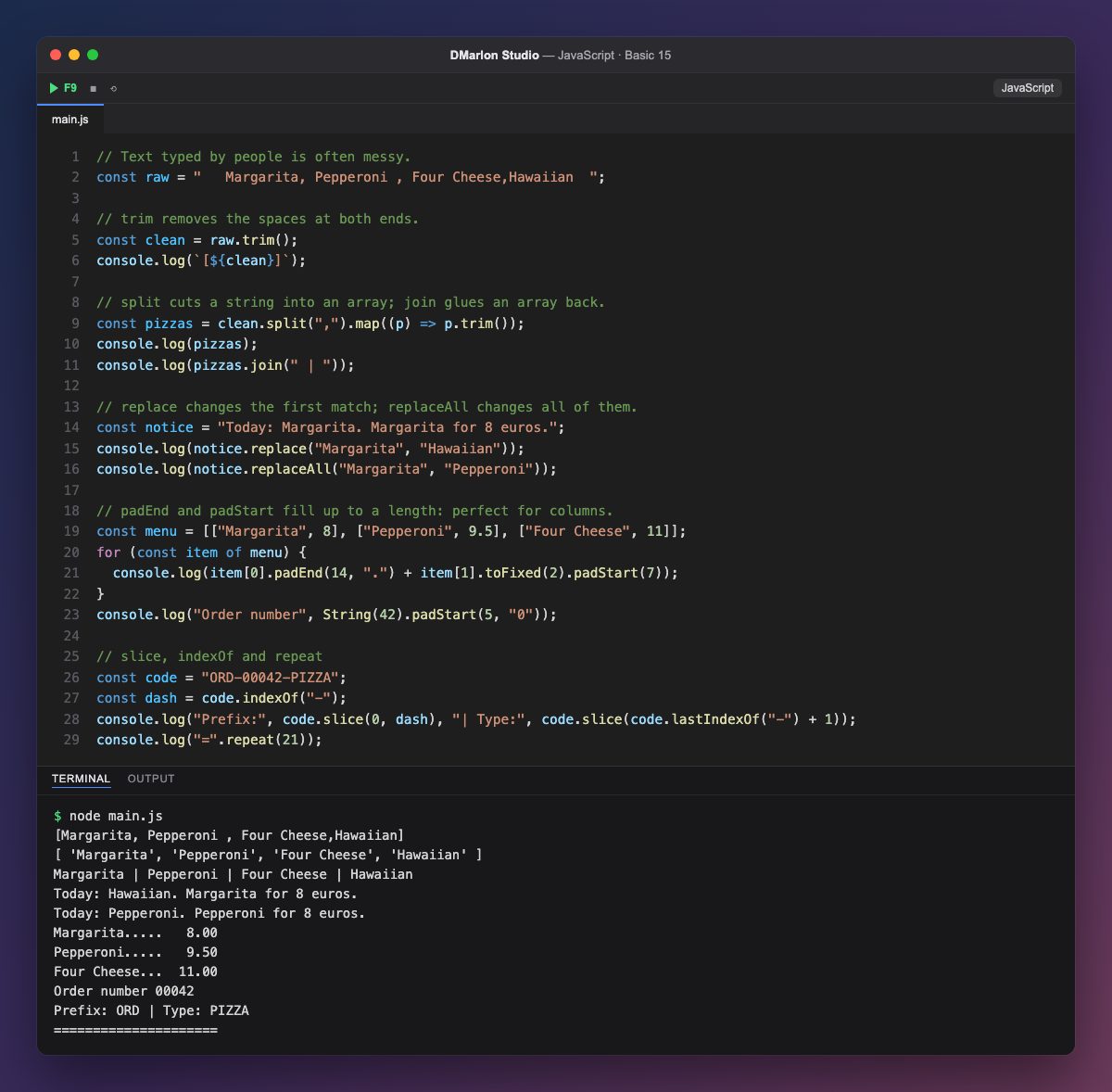
Text typed by people often comes with extra spaces. `trim()` removes the ones at the start and end; the square brackets in the first line of output show where the string begins and ends.
`split(",")` cuts the string at every comma and returns an array; map((p) => p.trim()) then cleans each pizza. `join(" | ")` does the opposite: it glues the array back into a string with the separator you choose.
`replace()` changes only the first occurrence of some text and `replaceAll()` changes them all, as you can see with the two Margaritas in the notice.
`padEnd()` and `padStart()` fill a string up to a length, on the right or on the left, with spaces or any character you pick. That puts the menu in columns, with dotted names and prices aligned to the right, and turns the order number into 00042.
`indexOf()` gives the position of some text and `lastIndexOf()` that of its last occurrence; `slice()` cuts out what lies between them. `repeat()` repeats a string, handy for drawing lines.
Code · main.js
// Text typed by people is often messy.const raw = " Margarita, Pepperoni , Four Cheese,Hawaiian ";// trim removes the spaces at both ends.const clean = raw.trim();console.log(`[${clean}]`);// split cuts a string into an array; join glues an array back.const pizzas = clean.split(",").map((p) => p.trim());console.log(pizzas);console.log(pizzas.join(" | "));// replace changes the first match; replaceAll changes all of them.const notice = "Today: Margarita. Margarita for 8 euros.";console.log(notice.replace("Margarita", "Hawaiian"));console.log(notice.replaceAll("Margarita", "Pepperoni"));// padEnd and padStart fill up to a length: perfect for columns.const menu = [["Margarita", 8], ["Pepperoni", 9.5], ["Four Cheese", 11]];for (const item of menu) { console.log(item[0].padEnd(14, ".") + item[1].toFixed(2).padStart(7));}console.log("Order number", String(42).padStart(5, "0"));// slice, indexOf and repeatconst code = "ORD-00042-PIZZA";const dash = code.indexOf("-");console.log("Prefix:", code.slice(0, dash), "| Type:", code.slice(code.lastIndexOf("-") + 1));console.log("=".repeat(21));Output · node main.js
[Margarita, Pepperoni , Four Cheese,Hawaiian]
[ 'Margarita', 'Pepperoni', 'Four Cheese', 'Hawaiian' ]
Margarita | Pepperoni | Four Cheese | Hawaiian
Today: Hawaiian. Margarita for 8 euros.
Today: Pepperoni. Pepperoni for 8 euros.
Margarita.....   8.00
Pepperoni.....   9.50
Four Cheese...  11.00
Order number 00042
Prefix: ORD | Type: PIZZA
=====================
Key points
trimremoves spaces at both ends.splitturns text into an array;jointurns an array into text.replacechanges the first occurrence;replaceAllall of them.padStartandpadEndline text up in columns.- No method changes the original string.
Exercise
Starting from the string " ana, LUIS ,marta ", get the clean names with a capital first letter and print them separated by commas with join.