Lesson 17 · 17 of 20
Events and bind · tkinter
Respond to the mouse and keyboard in tkinter with bind: clicks, double clicks, motion, the mouse leaving and keys, with each event's data.
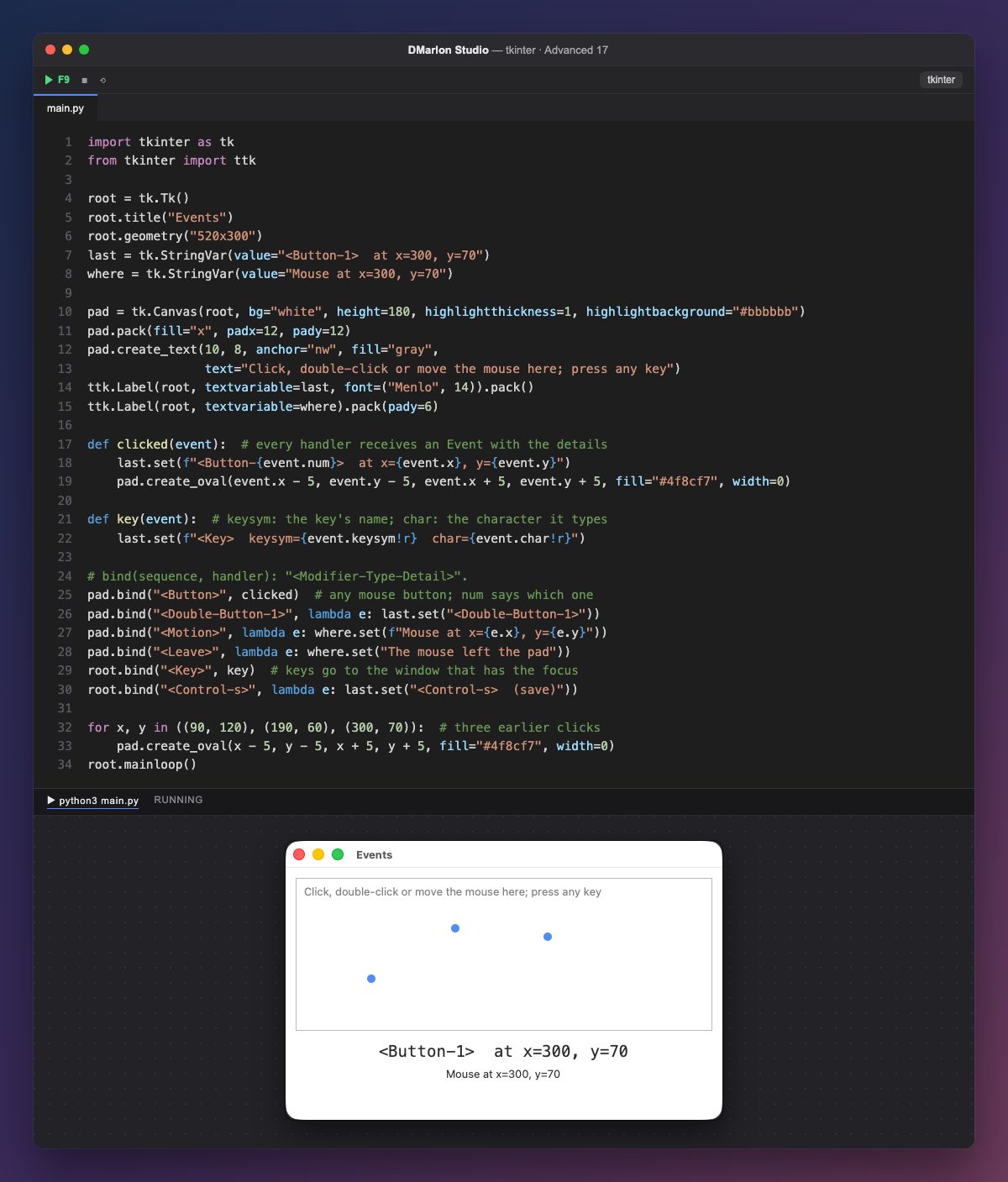
bind(sequence, function) ties a widget's event to a function. The sequence goes between < > in the form <Modifier-Type-Detail>: <Button-1> is the left button, <Double-Button-1> a double click, <Motion> mouse movement, <Leave> the mouse leaving, <Key> any key and <Control-s> Ctrl+S.
The function receives an Event object with the details: x and y (the position inside the widget), num (which mouse button), keysym (the key's name, like "Return" or "a") and char (the character it types, empty for keys such as the arrows). clicked uses them to write the event and draw a dot where you clicked.
<Button> with no number matches any button, and num says which. Keys are bound on root because only the widget with the keyboard focus gets them, and here that is the window. When two bindings match the same key, the most specific wins: Ctrl+S goes to its own function and not to key.
At start the canvas shows three dots from earlier clicks and the labels a sample event; with the mouse over it, the second label follows the position live.
In DMarlon Studio, the inspector's Events tab lists each widget's events (click, double click, right click, enter, leave…): type a method name and the studio generates the bind with its sequence.
Code · main.py
import tkinter as tkfrom tkinter import ttkroot = tk.Tk()root.title("Events")root.geometry("520x300")last = tk.StringVar(value="<Button-1> at x=300, y=70")where = tk.StringVar(value="Mouse at x=300, y=70")pad = tk.Canvas(root, bg="white", height=180, highlightthickness=1, highlightbackground="#bbbbbb")pad.pack(fill="x", padx=12, pady=12)pad.create_text(10, 8, anchor="nw", fill="gray", text="Click, double-click or move the mouse here; press any key")ttk.Label(root, textvariable=last, font=("Menlo", 14)).pack()ttk.Label(root, textvariable=where).pack(pady=6)def clicked(event): # every handler receives an Event with the details last.set(f"<Button-{event.num}> at x={event.x}, y={event.y}") pad.create_oval(event.x - 5, event.y - 5, event.x + 5, event.y + 5, fill="#4f8cf7", width=0)def key(event): # keysym: the key's name; char: the character it types last.set(f"<Key> keysym={event.keysym!r} char={event.char!r}")# bind(sequence, handler): "<Modifier-Type-Detail>".pad.bind("<Button>", clicked) # any mouse button; num says which onepad.bind("<Double-Button-1>", lambda e: last.set("<Double-Button-1>"))pad.bind("<Motion>", lambda e: where.set(f"Mouse at x={e.x}, y={e.y}"))pad.bind("<Leave>", lambda e: where.set("The mouse left the pad"))root.bind("<Key>", key) # keys go to the window that has the focusroot.bind("<Control-s>", lambda e: last.set("<Control-s> (save)"))for x, y in ((90, 120), (190, 60), (300, 70)): # three earlier clicks pad.create_oval(x - 5, y - 5, x + 5, y + 5, fill="#4f8cf7", width=0)root.mainloop()Key points
bind("<Sequence>", function)ties an event to a function.- The
Eventcarriesx,y,num,keysymandchar. - Keys go to the widget that has the focus.
- When two bindings match, the most specific wins.
Exercise
Give the canvas dots the tag "dot" and make the Escape key delete them all with pad.delete("dot"), leaving the text alone.