Lesson 15 · 15 of 20
File and colour dialogs · tkinter
Pick files, folders and colours with tkinter's filedialog and colorchooser, and learn what each dialog returns on OK or Cancel.
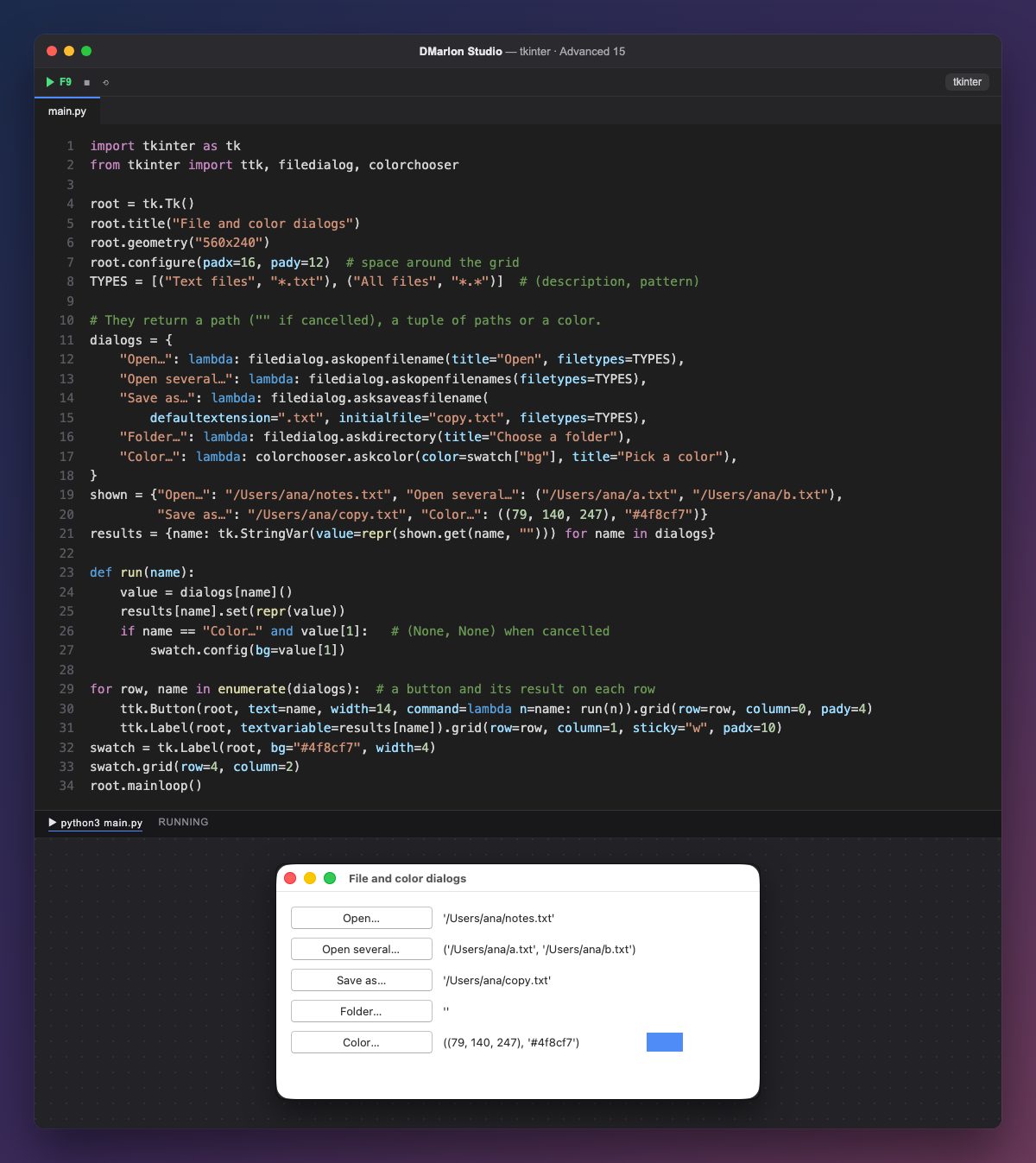
filedialog opens the system's file dialogs. askopenfilename returns the chosen file's path as text, or "" when cancelled; askopenfilenames (plural) lets you pick several and returns a tuple of paths. Neither opens the file: they only tell you which one it is.
asksaveasfilename asks where to save: initialfile suggests a name, defaultextension=".txt" adds the extension if the user doesn't type one, and the system warns if the file already exists. askdirectory picks a folder. filetypes is a list of (description, pattern) pairs that filters what is shown.
colorchooser.askcolor opens the colour picker and returns the colour in two forms: (red, green, blue) and hexadecimal, "#4f8cf7"; when cancelled, (None, None). That is why run checks value[1] before painting the swatch.
Being modal, they sit behind buttons. Each row has a button and a label with the last result written with repr, so you can tell text from tuple or empty; at start they show the sample values of the shown dictionary. root.configure(padx=16, pady=12) leaves a margin around the grid.
In DMarlon Studio the Open dialog and Save dialog are in the palette: they don't show in the window, you set them up in the inspector (title, filter, extension, initial folder…) and the studio generates the code that calls askopenfilename and asksaveasfilename.
Code · main.py
import tkinter as tkfrom tkinter import ttk, filedialog, colorchooserroot = tk.Tk()root.title("File and color dialogs")root.geometry("560x240")root.configure(padx=16, pady=12) # space around the gridTYPES = [("Text files", "*.txt"), ("All files", "*.*")] # (description, pattern)# They return a path ("" if cancelled), a tuple of paths or a color.dialogs = { "Open…": lambda: filedialog.askopenfilename(title="Open", filetypes=TYPES), "Open several…": lambda: filedialog.askopenfilenames(filetypes=TYPES), "Save as…": lambda: filedialog.asksaveasfilename( defaultextension=".txt", initialfile="copy.txt", filetypes=TYPES), "Folder…": lambda: filedialog.askdirectory(title="Choose a folder"), "Color…": lambda: colorchooser.askcolor(color=swatch["bg"], title="Pick a color"),}shown = {"Open…": "/Users/ana/notes.txt", "Open several…": ("/Users/ana/a.txt", "/Users/ana/b.txt"), "Save as…": "/Users/ana/copy.txt", "Color…": ((79, 140, 247), "#4f8cf7")}results = {name: tk.StringVar(value=repr(shown.get(name, ""))) for name in dialogs}def run(name): value = dialogs[name]() results[name].set(repr(value)) if name == "Color…" and value[1]: # (None, None) when cancelled swatch.config(bg=value[1])for row, name in enumerate(dialogs): # a button and its result on each row ttk.Button(root, text=name, width=14, command=lambda n=name: run(n)).grid(row=row, column=0, pady=4) ttk.Label(root, textvariable=results[name]).grid(row=row, column=1, sticky="w", padx=10)swatch = tk.Label(root, bg="#4f8cf7", width=4)swatch.grid(row=4, column=2)root.mainloop()Key points
askopenfilenamereturns a path, or""when cancelled.asksaveasfilenametakesdefaultextensionandinitialfile.askcolorreturns((r, g, b), "#hex")or(None, None).filetypesfilters with (description, pattern) pairs.
Exercise
Make "Open…" read the chosen file (unless cancelled) and show in its label how many lines it has.