Lesson 19 · 19 of 20
Validating input · tkinter
Validate tkinter fields with validate and validatecommand: reject invalid keys and flag errors with the invalid state and a red style.
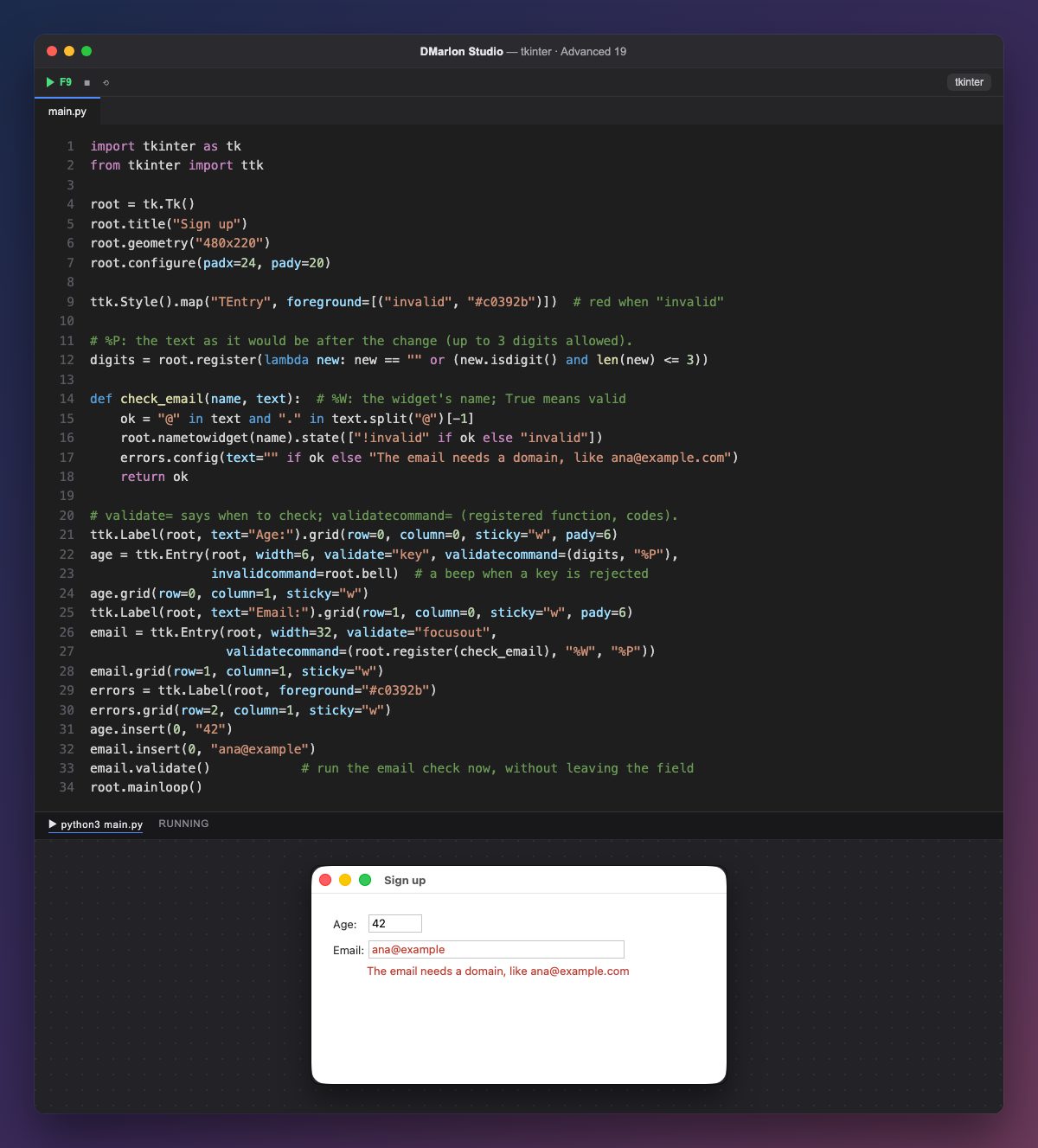
An Entry validates with two options: validate says when to check ("key" on every key, "focusout" on leaving the field, "all" always) and validatecommand says with what: a tuple with a registered function and the data it should receive.
The function is registered with root.register(...), which turns it into a Tcl command, and the data is requested with codes: %P is the text as it would be if the change is accepted, %S what is being inserted and %W the widget's name. The age check accepts empty text or up to three digits; if it returns False with validate="key", the key is rejected and invalidcommand runs (here, a beep).
With "focusout" nothing is rejected: check_email checks there is an @ with a dot after it, flags the field with state(["invalid"]) or clears it with "!invalid", and writes below what is missing.
ttk.Style().map("TEntry", foreground=[("invalid", ...)]) paints red the text of any ttk.Entry in the invalid state, leaving the others alone. At the end, email.validate() runs the check without waiting for the user to leave the field; that is why the window opens with the error already showing.
In DMarlon Studio, the Text field in the palette is an Entry like these; you add validate and validatecommand to it from the window's code with config(...).
Code · main.py
import tkinter as tkfrom tkinter import ttkroot = tk.Tk()root.title("Sign up")root.geometry("480x220")root.configure(padx=24, pady=20)ttk.Style().map("TEntry", foreground=[("invalid", "#c0392b")]) # red when "invalid"# %P: the text as it would be after the change (up to 3 digits allowed).digits = root.register(lambda new: new == "" or (new.isdigit() and len(new) <= 3))def check_email(name, text): # %W: the widget's name; True means valid ok = "@" in text and "." in text.split("@")[-1] root.nametowidget(name).state(["!invalid" if ok else "invalid"]) errors.config(text="" if ok else "The email needs a domain, like ana@example.com") return ok# validate= says when to check; validatecommand= (registered function, codes).ttk.Label(root, text="Age:").grid(row=0, column=0, sticky="w", pady=6)age = ttk.Entry(root, width=6, validate="key", validatecommand=(digits, "%P"), invalidcommand=root.bell) # a beep when a key is rejectedage.grid(row=0, column=1, sticky="w")ttk.Label(root, text="Email:").grid(row=1, column=0, sticky="w", pady=6)email = ttk.Entry(root, width=32, validate="focusout", validatecommand=(root.register(check_email), "%W", "%P"))email.grid(row=1, column=1, sticky="w")errors = ttk.Label(root, foreground="#c0392b")errors.grid(row=2, column=1, sticky="w")age.insert(0, "42")email.insert(0, "ana@example")email.validate() # run the email check now, without leaving the fieldroot.mainloop()Key points
validatesays when andvalidatecommandwith what.register()and%P: the text it would become.- With
"key", returningFalserejects the key. - The
invalidstate andStyle().mapflag the error.
Exercise
Add a "Postcode" field that only accepts five digits and turns red on leaving it if it has fewer.