Lesson 7 · 7 of 20
Checkboxes · tkinter
tkinter checkboxes (Checkbutton), each with its own BooleanVar: some checked at the start and a summary that changes on every click.
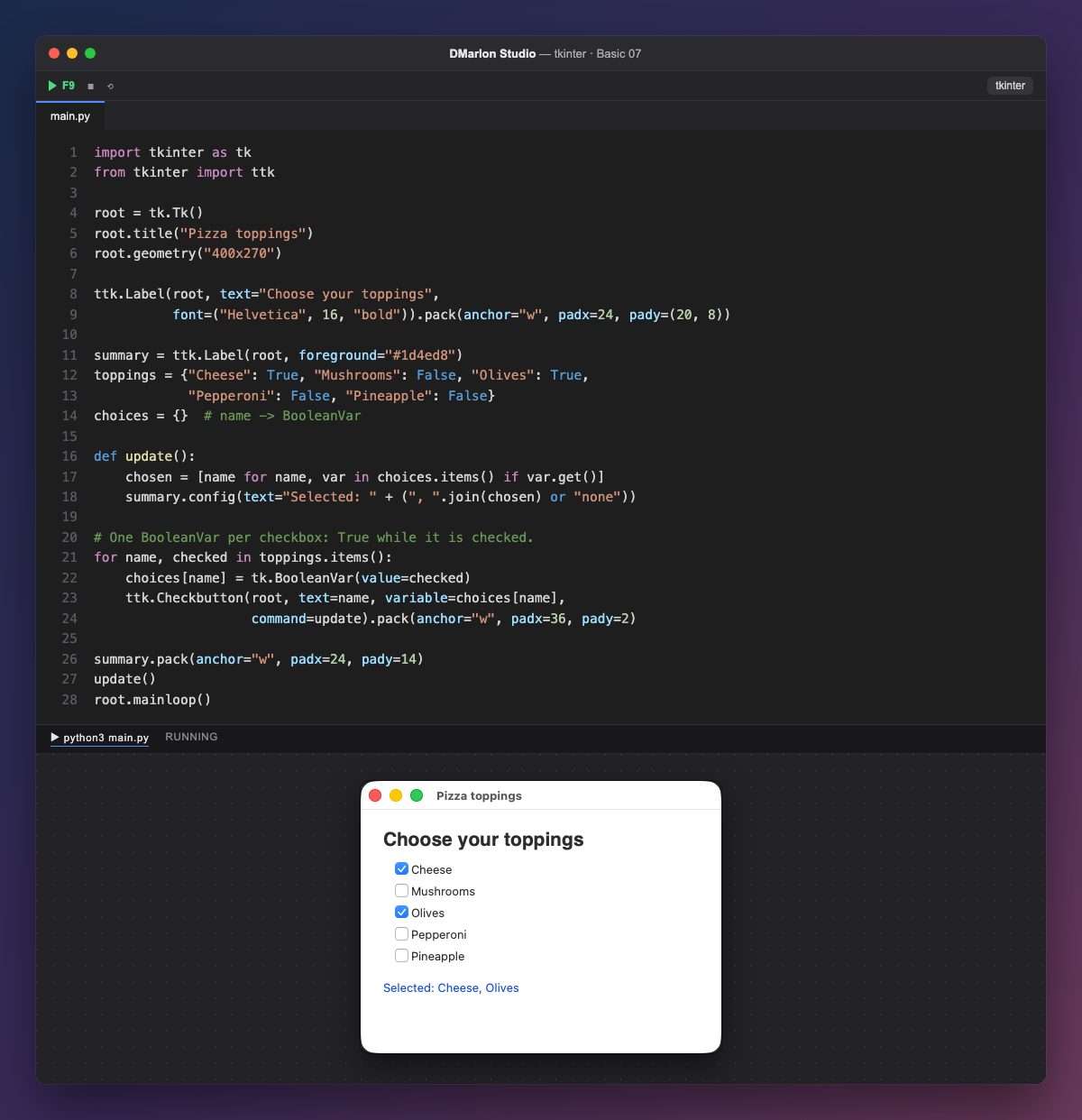
A Checkbutton is a box you tick and untick. Its state lives in a variable: here, a `BooleanVar`, which is True when checked and False when not.
The toppings dictionary says which boxes start checked. For every topping the loop creates tk.BooleanVar(value=checked) and the checkbox with variable=choices[name]. The variables are kept in the choices dictionary to read them later: if a tkinter variable is lost, the checkbox loses its state.
command=update runs on every click. update goes through choices, keeps the names whose var.get() is True and joins them with ", ".join(...); if there are none, it writes none.
The summary label is created before the loop so update can use it, but it is packed afterwards, below the checkboxes: the position depends on the order of pack, not on the order of creation.
In DMarlon Studio this is the Checkbox in the palette: in the inspector you set its text and whether it starts *Checked*. The studio binds it to an IntVar named self.<Name>_var, which is 1 when checked and 0 when not.
Code · main.py
import tkinter as tkfrom tkinter import ttkroot = tk.Tk()root.title("Pizza toppings")root.geometry("400x270")ttk.Label(root, text="Choose your toppings", font=("Helvetica", 16, "bold")).pack(anchor="w", padx=24, pady=(20, 8))summary = ttk.Label(root, foreground="#1d4ed8")toppings = {"Cheese": True, "Mushrooms": False, "Olives": True, "Pepperoni": False, "Pineapple": False}choices = {} # name -> BooleanVardef update(): chosen = [name for name, var in choices.items() if var.get()] summary.config(text="Selected: " + (", ".join(chosen) or "none"))# One BooleanVar per checkbox: True while it is checked.for name, checked in toppings.items(): choices[name] = tk.BooleanVar(value=checked) ttk.Checkbutton(root, text=name, variable=choices[name], command=update).pack(anchor="w", padx=36, pady=2)summary.pack(anchor="w", padx=24, pady=14)update()root.mainloop()Key points
- Every checkbox has its own variable (
BooleanVarorIntVar). - The variable's initial value decides whether it starts checked.
commandruns every time the box is ticked or unticked.- Keep the variables: if they are lost, the checkbox loses its state.
Exercise
Give each topping a price and show the total of the checked ones in the summary.