Lesson 10 · 10 of 20
Drop-down lists · tkinter
The ttk Combobox: a list of values, the initial value with current() or set(), read-only mode and the <<ComboboxSelected>> event.
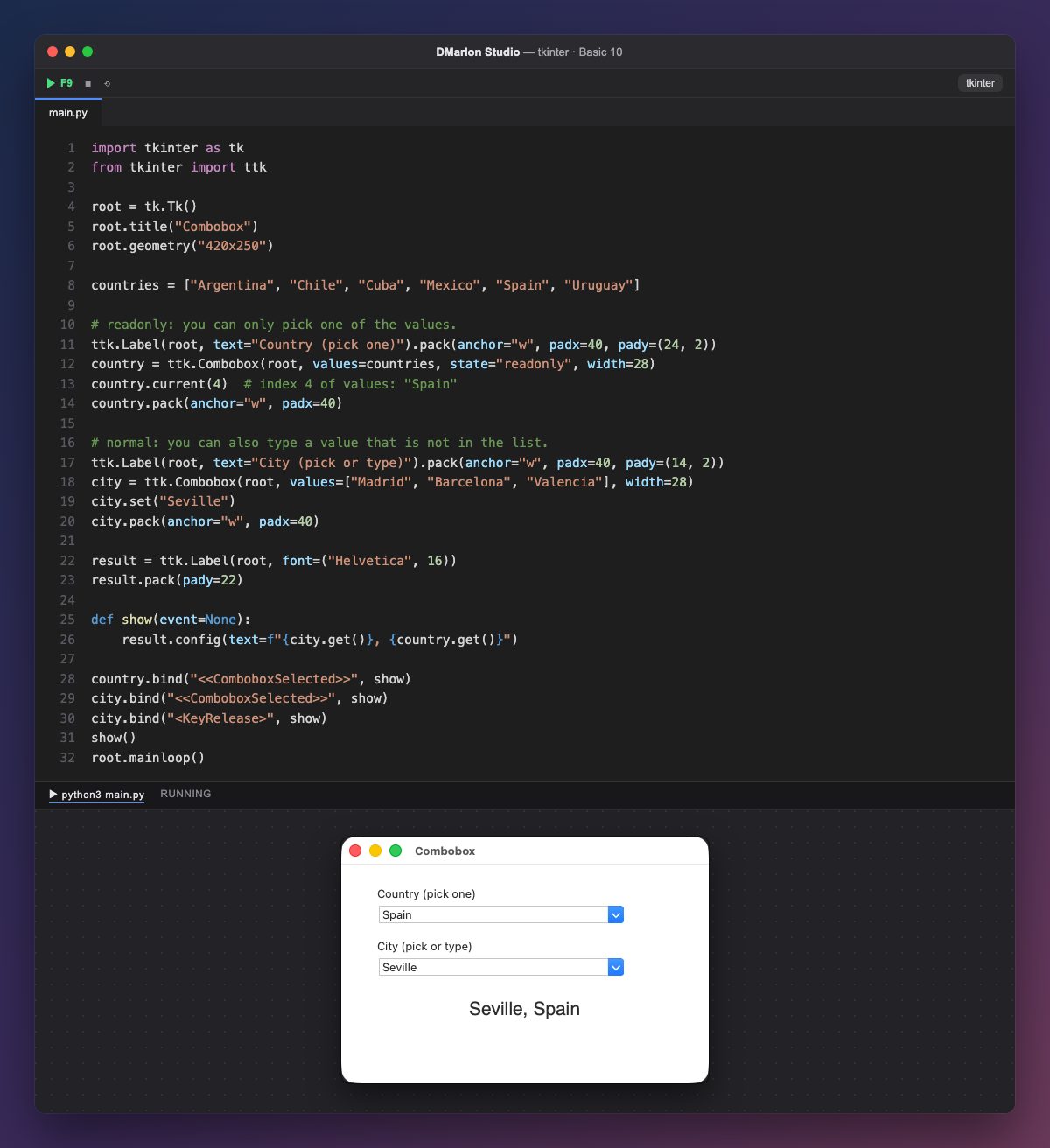
A Combobox (ttk.Combobox) is a field with a list that drops down when you press the arrow. Its options go in `values`, a list of strings.
With `state="readonly"` you can only pick one of the values, not type. `current(4)` selects by position, starting at 0: the fifth value, «Spain».
The second one is in the normal state: you can pick from the list or type something else. `set("Seville")` puts in a text even if it is not in values.
get() returns the text of each one. The `<<ComboboxSelected>>` event arrives when an item is picked from the list, and <KeyRelease> when a key is released; both call show, which writes «city, country» in the big label.
In DMarlon Studio this is the Drop-down list in the palette: you set its *Items (one per line)*, *Initial text* and *State* (readonly) in the inspector, and the studio writes it as a ttk.Combobox bound to a StringVar.
Code · main.py
import tkinter as tkfrom tkinter import ttkroot = tk.Tk()root.title("Combobox")root.geometry("420x250")countries = ["Argentina", "Chile", "Cuba", "Mexico", "Spain", "Uruguay"]# readonly: you can only pick one of the values.ttk.Label(root, text="Country (pick one)").pack(anchor="w", padx=40, pady=(24, 2))country = ttk.Combobox(root, values=countries, state="readonly", width=28)country.current(4) # index 4 of values: "Spain"country.pack(anchor="w", padx=40)# normal: you can also type a value that is not in the list.ttk.Label(root, text="City (pick or type)").pack(anchor="w", padx=40, pady=(14, 2))city = ttk.Combobox(root, values=["Madrid", "Barcelona", "Valencia"], width=28)city.set("Seville")city.pack(anchor="w", padx=40)result = ttk.Label(root, font=("Helvetica", 16))result.pack(pady=22)def show(event=None): result.config(text=f"{city.get()}, {country.get()}")country.bind("<<ComboboxSelected>>", show)city.bind("<<ComboboxSelected>>", show)city.bind("<KeyRelease>", show)show()root.mainloop()Key points
valuesis the list of options.current(i)selects by position;set(text)puts in any text.state="readonly"stops users typing values that are not in the list.<<ComboboxSelected>>fires when an option is picked.
Exercise
Make the city list change with city.config(values=...) when a country is picked, showing the first city of that country.