Lesson 20 · 20 of 20
Project: a registration form · tkinter
A registration form with tkinter and grid: entries, a password, a drop-down list, options, a checkbox and a button that checks the data.
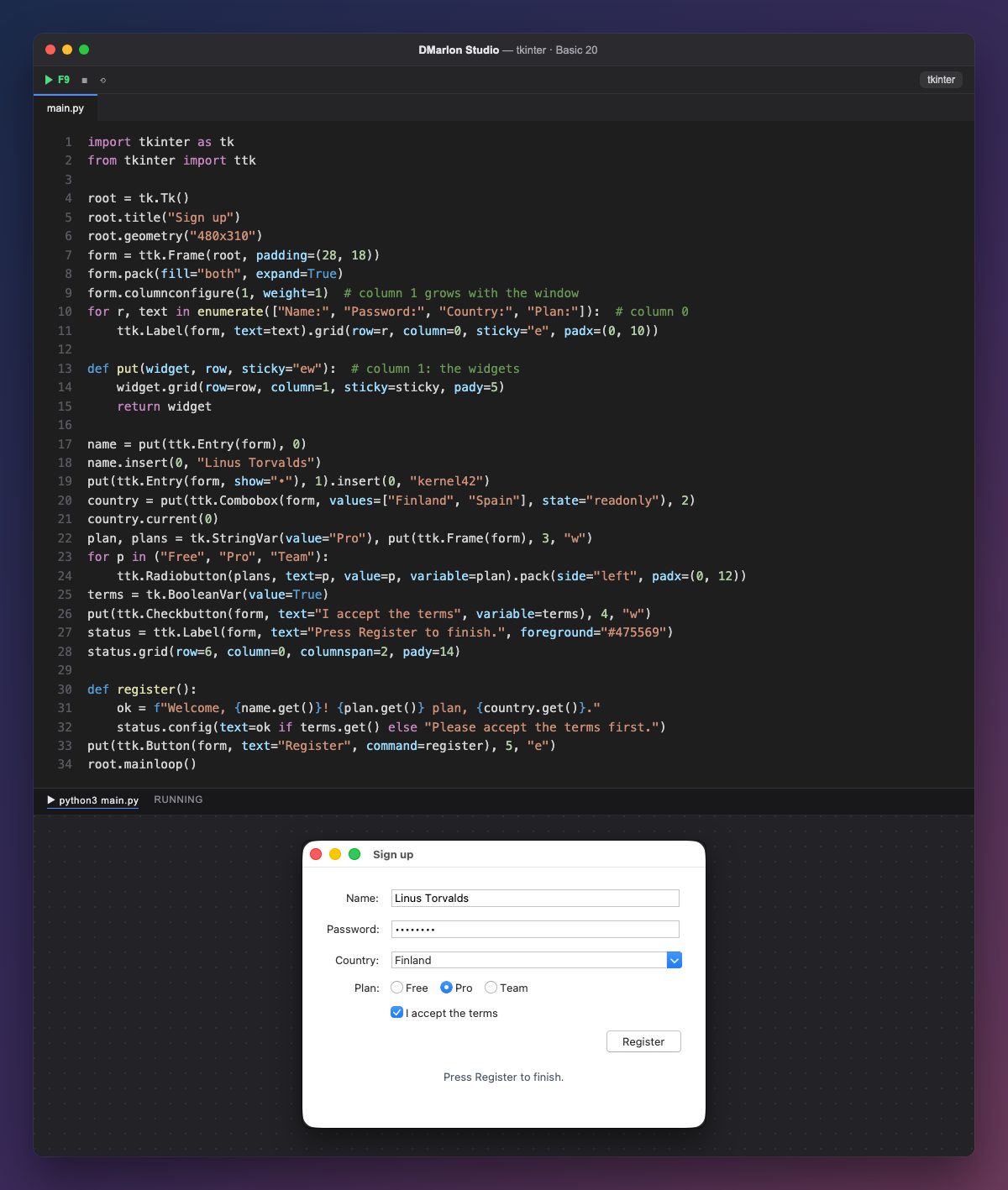
The form is a ttk.Frame using grid: the labels go in column 0, stuck to the right with sticky="e", and the widgets in column 1, which grows thanks to columnconfigure(1, weight=1).
put places a widget in column 1 of a row and returns it, so you create, place and keep it in a single line: name = put(ttk.Entry(form), 0). By default it stretches the widget ("ew"), but the options and the checkbox go to the left ("w") and the button to the right ("e").
This is where the course's widgets come together: two ttk.Entry widgets filled with insert (the second with show="•"), a read-only ttk.Combobox with current(0), three Radiobuttons sharing the plan StringVar inside a frame, and a Checkbutton with its BooleanVar.
register reads the data with name.get(), plan.get() and country.get(). If the terms checkbox is ticked, it welcomes the user; otherwise it asks them to accept. The message goes to the status label, which spans both columns with columnspan=2.
You can design the whole form in DMarlon Studio by dragging the Text field, Password, Drop-down list, Option, Checkbox and Button from the palette; the studio writes the tkinter code and you only fill in the button's method.
Code · main.py
import tkinter as tkfrom tkinter import ttkroot = tk.Tk()root.title("Sign up")root.geometry("480x310")form = ttk.Frame(root, padding=(28, 18))form.pack(fill="both", expand=True)form.columnconfigure(1, weight=1) # column 1 grows with the windowfor r, text in enumerate(["Name:", "Password:", "Country:", "Plan:"]): # column 0 ttk.Label(form, text=text).grid(row=r, column=0, sticky="e", padx=(0, 10))def put(widget, row, sticky="ew"): # column 1: the widgets widget.grid(row=row, column=1, sticky=sticky, pady=5) return widgetname = put(ttk.Entry(form), 0)name.insert(0, "Linus Torvalds")put(ttk.Entry(form, show="•"), 1).insert(0, "kernel42")country = put(ttk.Combobox(form, values=["Finland", "Spain"], state="readonly"), 2)country.current(0)plan, plans = tk.StringVar(value="Pro"), put(ttk.Frame(form), 3, "w")for p in ("Free", "Pro", "Team"): ttk.Radiobutton(plans, text=p, value=p, variable=plan).pack(side="left", padx=(0, 12))terms = tk.BooleanVar(value=True)put(ttk.Checkbutton(form, text="I accept the terms", variable=terms), 4, "w")status = ttk.Label(form, text="Press Register to finish.", foreground="#475569")status.grid(row=6, column=0, columnspan=2, pady=14)def register(): ok = f"Welcome, {name.get()}! {plan.get()} plan, {country.get()}." status.config(text=ok if terms.get() else "Please accept the terms first.")put(ttk.Button(form, text="Register", command=register), 5, "e")root.mainloop()Key points
gridwith two columns is the classic shape of a form.- A function that places and returns the widget saves lines.
- Each value is read with
get()from its field or its variable. - Check the data before accepting it.
Exercise
Add an «Email» field and make register refuse the sign-up if the address does not contain «@».