Lesson 4 · 4 of 20
Text fields with StringVar · tkinter
The tkinter text field (Entry) bound to a StringVar: an initial value, reading it with get() and a label that changes as you type.
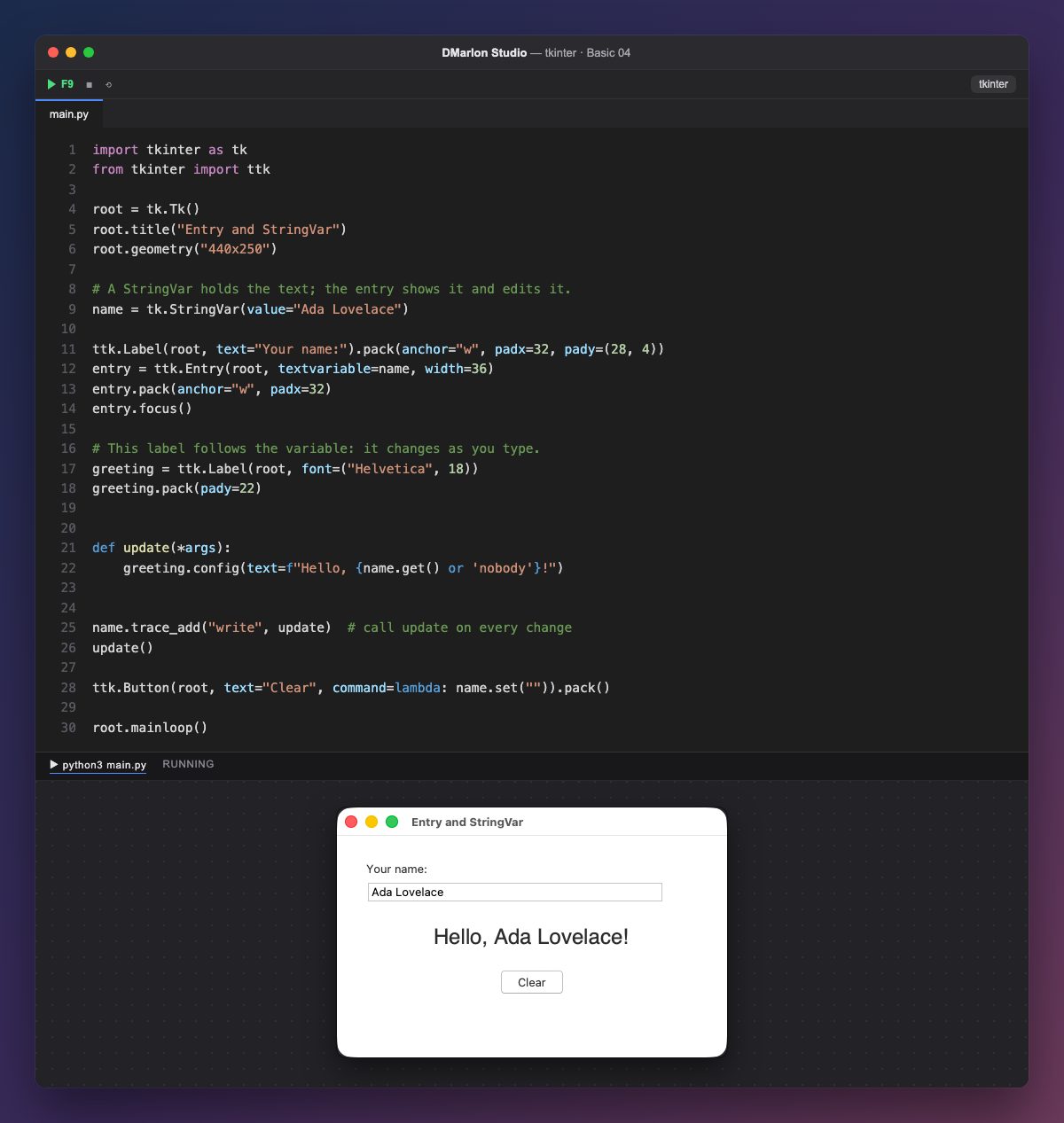
A `StringVar` is a tkinter variable that holds text. tk.StringVar(value="Ada Lovelace") creates it with a value, so the field opens already filled in.
ttk.Entry(root, textvariable=name, width=36) is the text field: a single editable line. With `textvariable` the field and the variable are bound: what you type goes into the variable, and whatever you put there with name.set(...) shows up in the field. width is the width in characters, and entry.focus() puts the cursor in it.
`name.trace_add("write", update)` asks tkinter to call update every time the variable changes, that is, on every key. update reads the text with `name.get()` and puts it in the greeting; it is also called once at the start so the label does not begin empty.
The Clear button runs name.set(""): it empties the field and, thanks to the trace, the greeting becomes «Hello, nobody!». The lambda is a quick way to give command a one-line function.
In DMarlon Studio this is the Text field in the palette. You set its *Initial text* in the inspector, and the studio creates a StringVar for each field, named self.<Name>_var, to read and change its value from your code.
Code · main.py
import tkinter as tkfrom tkinter import ttkroot = tk.Tk()root.title("Entry and StringVar")root.geometry("440x250")# A StringVar holds the text; the entry shows it and edits it.name = tk.StringVar(value="Ada Lovelace")ttk.Label(root, text="Your name:").pack(anchor="w", padx=32, pady=(28, 4))entry = ttk.Entry(root, textvariable=name, width=36)entry.pack(anchor="w", padx=32)entry.focus()# This label follows the variable: it changes as you type.greeting = ttk.Label(root, font=("Helvetica", 18))greeting.pack(pady=22)def update(*args): greeting.config(text=f"Hello, {name.get() or 'nobody'}!")name.trace_add("write", update) # call update on every changeupdate()ttk.Button(root, text="Clear", command=lambda: name.set("")).pack()root.mainloop()Key points
textvariablebinds the field to aStringVar.get()reads the text andset()changes it.trace_add("write", function)reports every change.- The
widthof anEntryis measured in characters.
Exercise
Add a second field for the surname and make the greeting show the first name and the surname together.