Lesson 13 · 13 of 20
Frames for grouping · tkinter
Group a tkinter form with Frame and LabelFrame: titled sections, rows of label and field, and a bar of buttons.
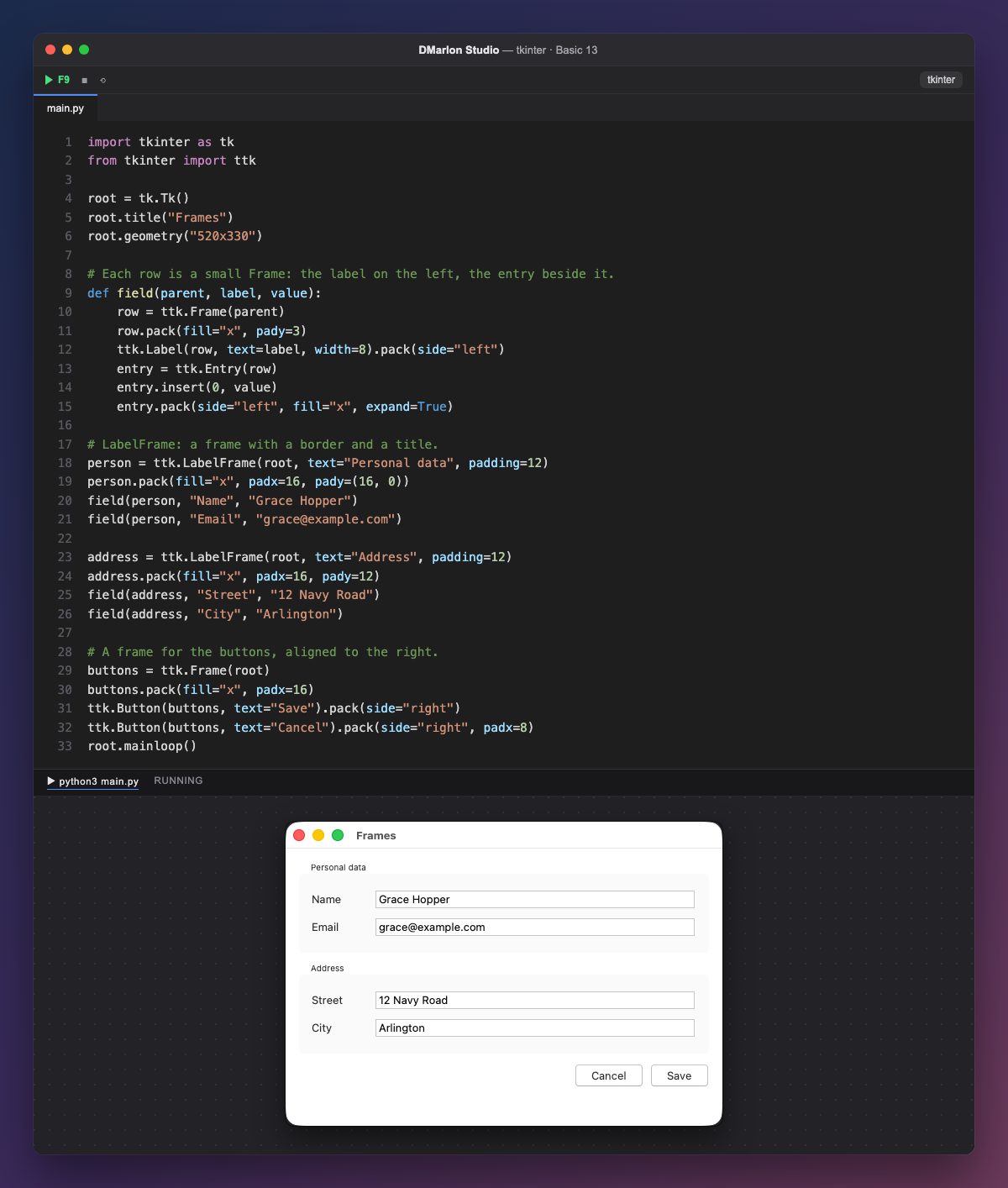
A frame (ttk.Frame) is a container without a border: it groups widgets so they are placed together. Children are created with the frame as their first argument, for example ttk.Label(row, ...), and they are placed inside it.
field builds each row: a Frame with the label on the left (side="left" and width=8, so they are all the same size) and the entry, which takes the rest with fill="x", expand=True. That keeps the labels and fields lined up in columns.
A `ttk.LabelFrame` is a frame with a border and a title (text="Personal data"); padding=12 adds space inside. Each section is packed with pack(fill="x") so it takes the full width, and padx and pady keep it apart from the rest.
The bar at the bottom is another frame with the buttons on the right: pack(side="right") puts Save against the edge first, then Cancel to its left.
In DMarlon Studio this is the Frame in the palette: widgets you drop on it end up inside it in the generated code. LabelFrame is not in the palette; you can add it in the Code tab.
Code · main.py
import tkinter as tkfrom tkinter import ttkroot = tk.Tk()root.title("Frames")root.geometry("520x330")# Each row is a small Frame: the label on the left, the entry beside it.def field(parent, label, value): row = ttk.Frame(parent) row.pack(fill="x", pady=3) ttk.Label(row, text=label, width=8).pack(side="left") entry = ttk.Entry(row) entry.insert(0, value) entry.pack(side="left", fill="x", expand=True)# LabelFrame: a frame with a border and a title.person = ttk.LabelFrame(root, text="Personal data", padding=12)person.pack(fill="x", padx=16, pady=(16, 0))field(person, "Name", "Grace Hopper")field(person, "Email", "grace@example.com")address = ttk.LabelFrame(root, text="Address", padding=12)address.pack(fill="x", padx=16, pady=12)field(address, "Street", "12 Navy Road")field(address, "City", "Arlington")# A frame for the buttons, aligned to the right.buttons = ttk.Frame(root)buttons.pack(fill="x", padx=16)ttk.Button(buttons, text="Save").pack(side="right")ttk.Button(buttons, text="Cancel").pack(side="right", padx=8)root.mainloop()Key points
- A
Framegroups widgets; inside it, each one is placed again. - A widget's first argument is its container.
LabelFrameadds a border and a title to a section.- A function that builds rows avoids repeating code.
Exercise
Add a third section, «Contact», with the fields «Phone» and «Website», using the same field function.