Lesson 9 · 9 of 20
Lists of items · tkinter
The tkinter Listbox: adding items, leaving one or more selected with selection_set, selectmode, and reading the selection with curselection().
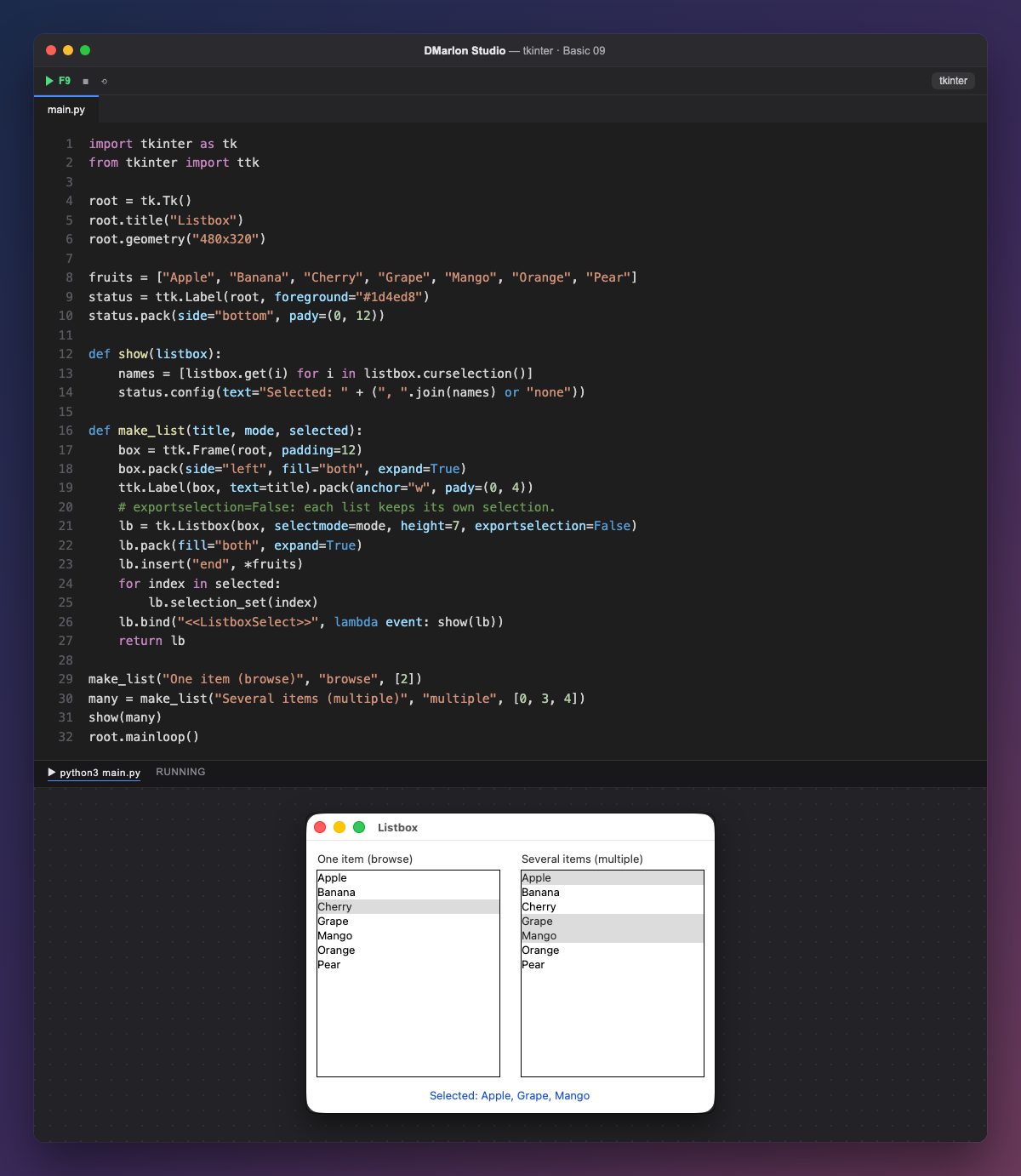
A Listbox (tk.Listbox) shows a list of strings. It is filled with insert("end", *fruits): the asterisk passes every fruit as a separate argument, so they all go in at once.
`selectmode` says how many items can be chosen: "browse" (the default), just one; "multiple", several, with each click toggling an item; "extended", several using the Shift and Control keys (Cmd on macOS).
`selection_set(index)` selects an item by its position, starting at 0: in the first list, 2 is «Cherry». exportselection=False is needed when there are two lists: without it, selecting in one would clear the selection of the other.
`curselection()` returns the selected positions and get(i) the text of each one. The <<ListboxSelect>> event arrives every time the selection changes, and show writes the names in the label at the bottom.
make_list builds each column: a ttk.Frame with its title and its list, placed with pack(side="left", fill="both", expand=True) so they share the width. In DMarlon Studio this is the List in the palette: you set its *Items (one per line)* and *Selection* (selectmode) in the inspector, and it has an *On select* event.
Code · main.py
import tkinter as tkfrom tkinter import ttkroot = tk.Tk()root.title("Listbox")root.geometry("480x320")fruits = ["Apple", "Banana", "Cherry", "Grape", "Mango", "Orange", "Pear"]status = ttk.Label(root, foreground="#1d4ed8")status.pack(side="bottom", pady=(0, 12))def show(listbox): names = [listbox.get(i) for i in listbox.curselection()] status.config(text="Selected: " + (", ".join(names) or "none"))def make_list(title, mode, selected): box = ttk.Frame(root, padding=12) box.pack(side="left", fill="both", expand=True) ttk.Label(box, text=title).pack(anchor="w", pady=(0, 4)) # exportselection=False: each list keeps its own selection. lb = tk.Listbox(box, selectmode=mode, height=7, exportselection=False) lb.pack(fill="both", expand=True) lb.insert("end", *fruits) for index in selected: lb.selection_set(index) lb.bind("<<ListboxSelect>>", lambda event: show(lb)) return lbmake_list("One item (browse)", "browse", [2])many = make_list("Several items (multiple)", "multiple", [0, 3, 4])show(many)root.mainloop()Key points
insert("end", ...)adds items at the end.selectmodedecides whether one or several can be chosen.selection_setselects from code;curselection()reads the selection.<<ListboxSelect>>fires when the selection changes.
Exercise
Switch the second list to selectmode="extended" and add a button that removes the selected items with delete(i).